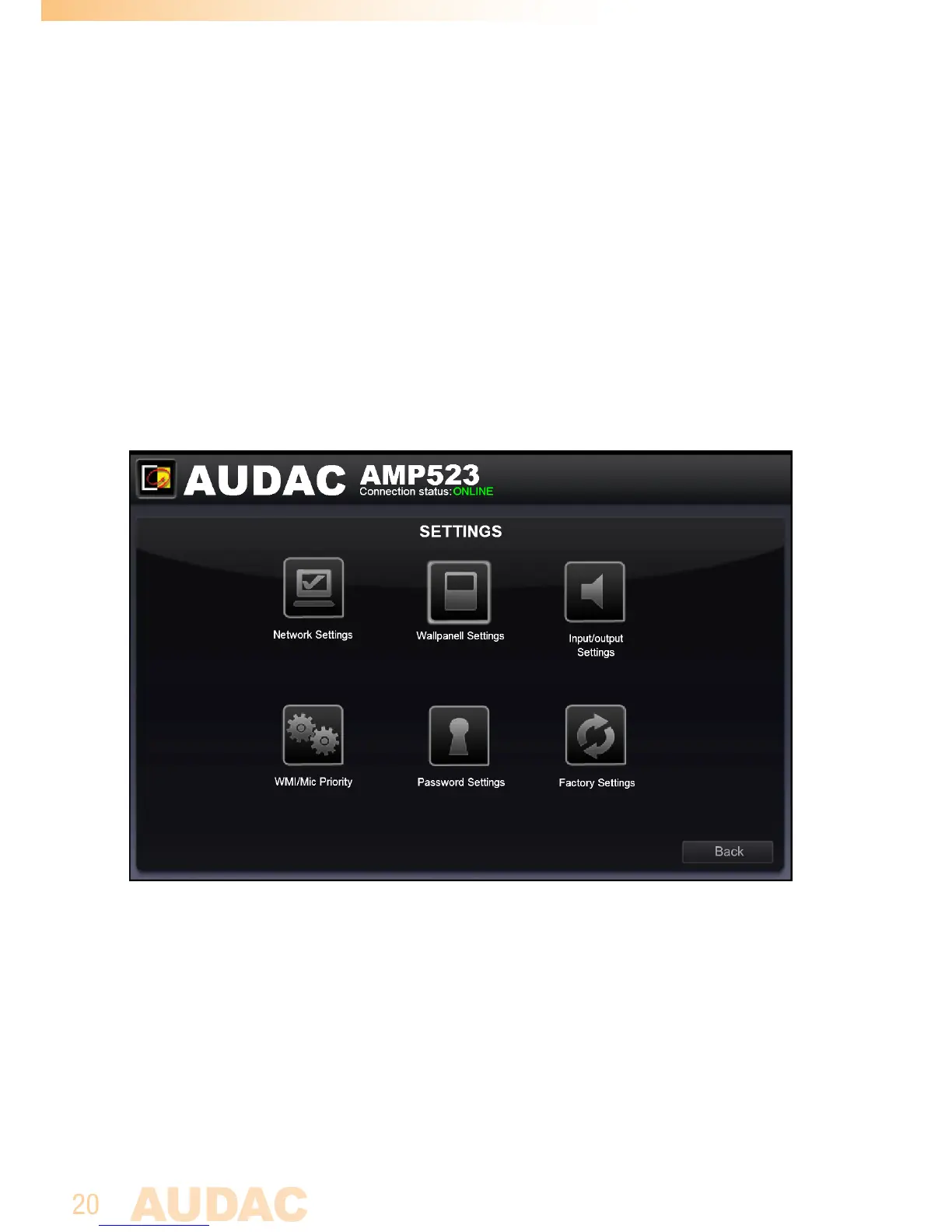
Configuration screen
Thesettingscontrolpanelcomesupafterclickingthe“Setup”buttoninthetopright
cornerofthemainscreen.
Inthiswindow,allsettingsfortheAMP523canbemade.
Suchasnetworksettings,settingtheaddressfortheconnectedwallpanel(optional),
changingthegainfortheinputchannels,enablingphantompowertothemicrophone
channel,enablingprioritysettingsforthemicrophonechannels,changingthepass-
word,...
Configuration screen for AMP523/RM523
Differenticonsareshownfor“NetworkSettings”,“WallpanelSettings”,“Input
Settings”,“WMI/MicPriority”,“PasswordSettingsandrestoreto“FactorySettings”.
Clicktheparticularbuttonifyouwanttomakeanychangestothosesettings.
Back
Clickthe“Back”buttontoreturnbacktothemainscreen.



 To Next Page