Configuration >> Wall panel Settings
Inthiswindow,thewallpaneladdresssettingsfortheMWX43/45wallpanelscanbe
made.
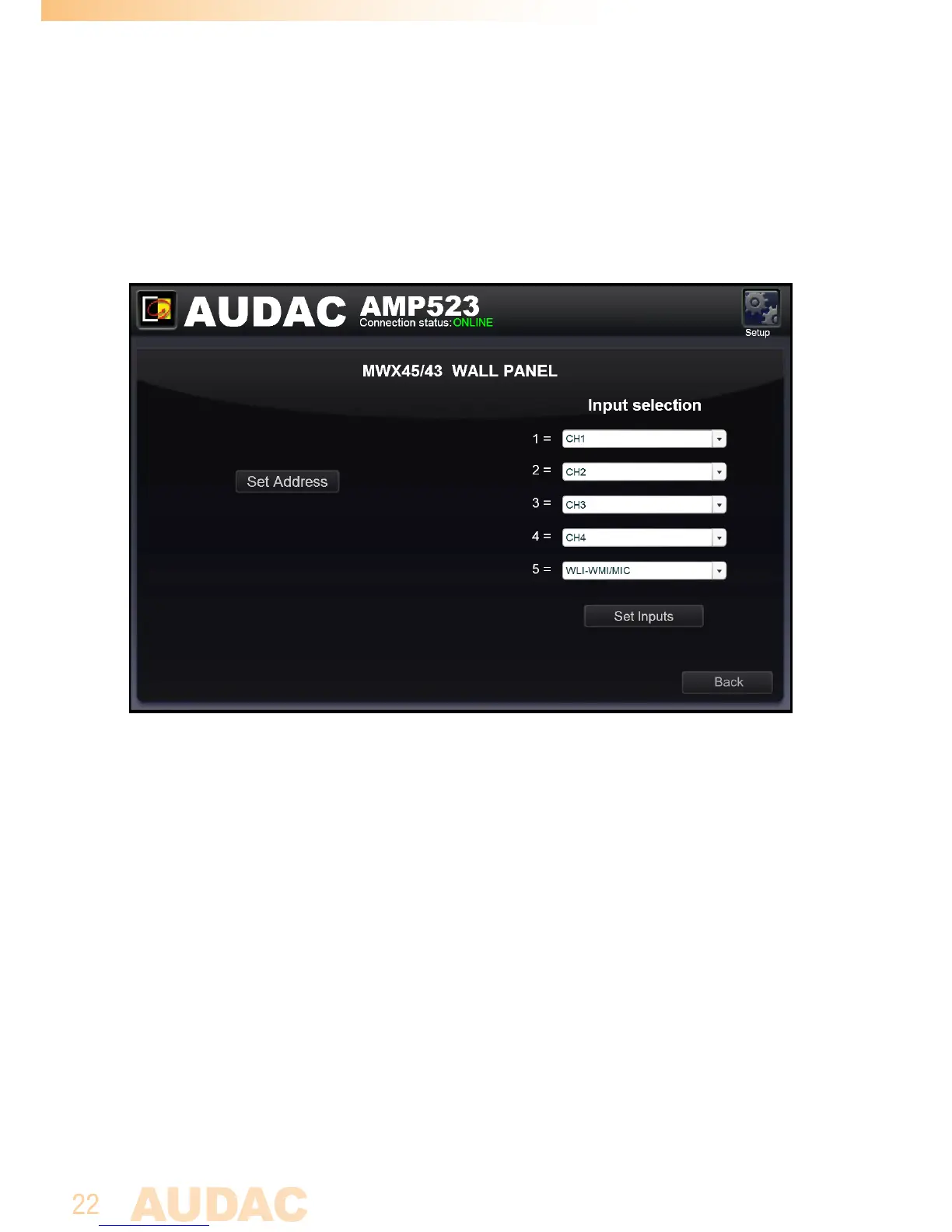
Wall panel settings screen for AMP523/RM523
Theaddressisalwayssetcorrectfornewdeliveredwallpanels.Whentheconnected
wallpanelhasbeenusedinanotherapplication,itcanbeconfiguredtoanother
address.Toavoidproblemsinallcircumstances,itisrecommendedtoalwaysrun
throughtheAMP523/RM523wallpaneladdressconfigurationprocedure.Thisisvery
simpleanddescribedbelow.
Set Address AMP523
JustconnecttheMWX43/45wallpaneltothe“RS485+AUDIO”RJ45inputonthe
AMP523/RM523.Afterthisisdone,the“SetAddress”buttonshouldbepressedin
the“WallpanelSettings”menu.Themessage“Pushtheupperbuttononthewall
paneltoconfirmtheaddress”willappearandtheLED’sontheMWX43/45wallpanel
willstarttoblink.Aftertheupperbuttononthewallpanelispressed,thecorrect
addresswillbeassignedandthemessagewilldisappear.Nowthewallpanelisready
foroperation.



 To Next Page