Park assist Ill
----------------
• Never use warm or hot water to remove snow or ice from the rear
view camera lens - danger of crack formation on the lens!
• When cleaning the lens, never use products that are abrasive . •
Applies to vehicles : with park ing system (rear, with rear view camera)
Switching on/off
The rear view camera switches on automatically together
with the acoustic park assist when you put the vehicle in
reverse.
Switching on
- Put the vehicle in reverse gear, the acoustic parking
system with rear view camera is activated automatically.
Activation of the acoustic parking system is confirmed by
a brief acknowledgement sound.
Switching off
- Drive faster than 6 mph (10 km/h) , or
take the vehicle out of reverse gear. The acoustic parking
system is immediately deactivated, and the rear view
camera picture is deactivated automatically after a period
of about 15 seconds, or
- switch off the ignition.
The delay in deactivating the camera provides an uninterrupted view
behind the vehicle especially when maneuvering in tight parking
spaces and prevents the picture from turning off the every time you
shift out of
reverse .
If the warning message appears in the display but not the rear view
camera picture, read and confirm the warning message. The acoustic
distance signal is always act ive.
Controls and equip -
ment
Safety first
If you press a function button on the MMI control console, the rear
view camera picture disappears. The rear
view camera picture reap-
pears the next time you park.
Further info rmation on the warning message and the MMI control
console can be found in the MMI instruction booklet.
[I) Tips
• The rear view camera picture is available as soon as the MMI
Display or the MMI is switched on, or the sta rt-up phase is completed.
• Keep the sensors in the rear bumper and the rear view camera lens
clean and free of snow and ice, so that the parking system can work
properly. Please follow the additional notes on:::::,
page 158. •
Applies to vehicles: wit h parking system (rear, wi th rear view camera)
Reverse Parking
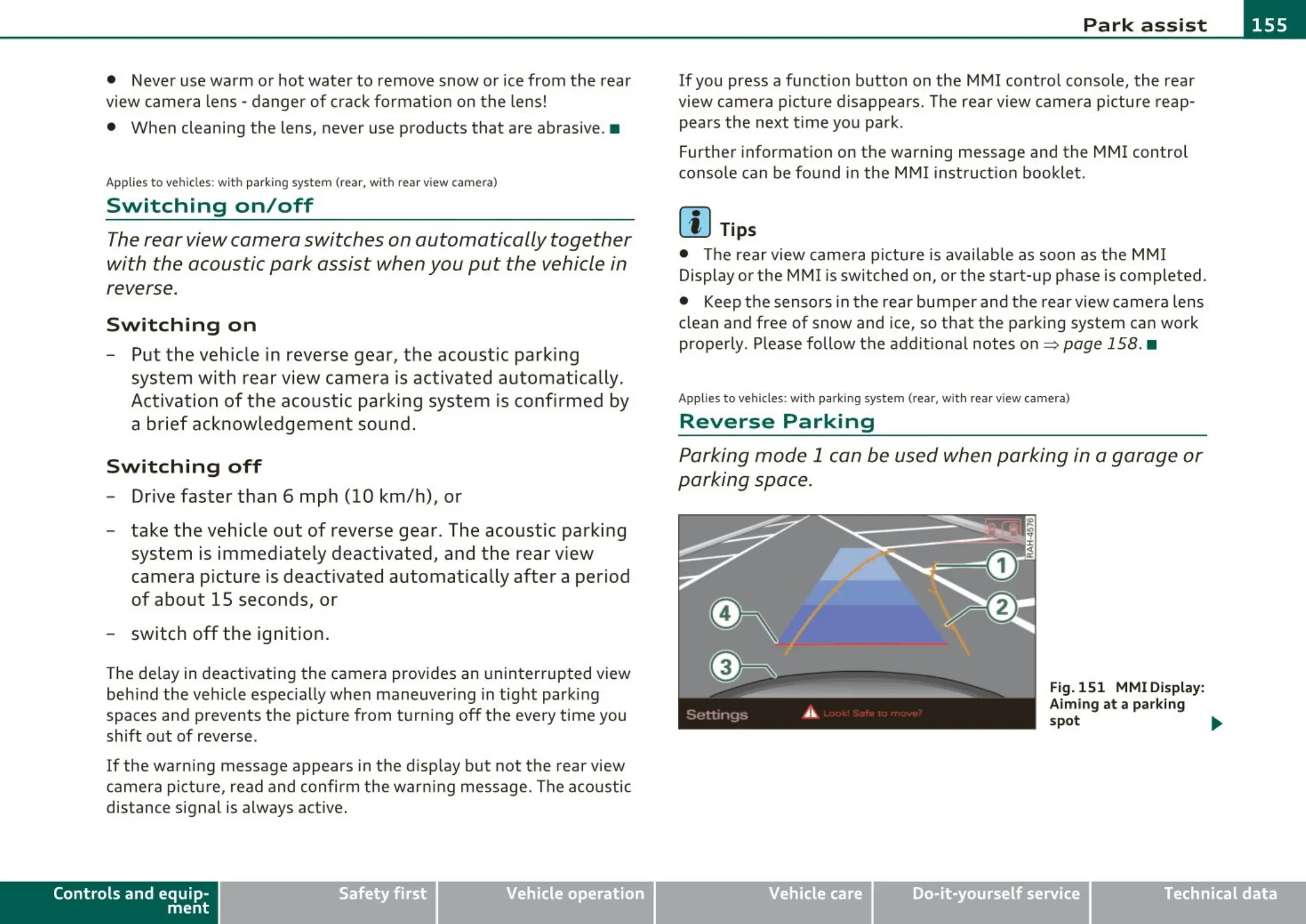
Parking mode 1 can be used when parking in a garage or
parking space.
Fig.151 MMI Display:
Aiming at a parking
spot ..
Vehicle care Technical data



 To Next Page