Clear vision
The service position is set in the radio or MMI* .
- If the wiper blades are not f rozen to the windsh ield, bring
the windshield wiper lever t o the basic position
@)
~
page 60, fig . 58.
Select: Funct ion button I CA R] > Windshield wipers >
Service position .
• On - chang ing the windshield wiper blades can only be done if you
bring the wiper arms to the service posit ion ~
page 61, fig. 59 . You
will also avoid paint damage to the hood when working on the wipers
in this position.
• Off - t he windshield wipers are moved to t heir initial pos it ion
again.
0 Note
Never maneuver your vehicle with the front windshield wiper arms
raised since they will automat ically be moved back to the ir basic posi-
tion above a speed of 3 mph (6 km/h) and can scratch the hood.
[I) Tips
• You can also use the service position, for example, if you wa nt to
protec t t he windshield from icing by using a cover.
• The service position automatica lly switches to
Off when you
operate the windshield wiper lever, or speed exceeds 3 mph (6
km/h). •
Installing new wiper blades
Wip er blades in good conditi on help kee p the windshield
clear.
Removing the wiper blade
~
0
0
ri:.
fl:
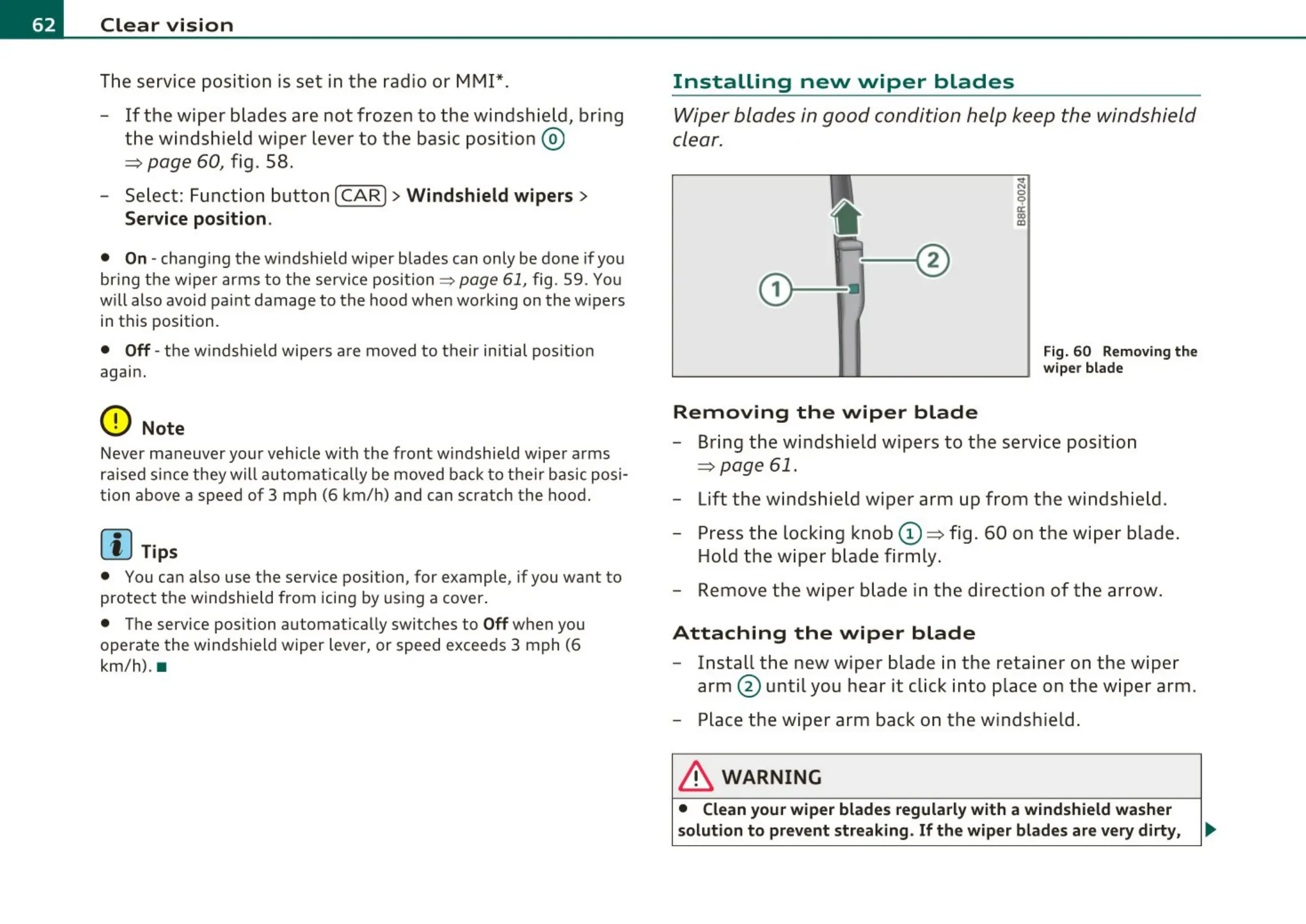
Fig. 60 Removing t he
wiper blade
- Bring the winds hield w ipers to t he service posit ion
~
page 61.
- Lift the windshield wiper arm up from t he windshie ld .
- Press t he locki ng knob
(D ~ fig . 60 on t he wipe r blade .
Hold the wiper bl ade firmly .
- Remove the wiper blade in t he dire ctio n of the arrow .
Attaching the wiper blade
- Instal l the new w iper blade in t he reta iner on t he wiper
arm @ unt il you hear it click into place on the wiper arm .
- Place the wiper arm back on the w indshield .
& WARNING
• Clean your wiper blades regularly with a windshield washer
solution to prevent streaking. If the wiper blades are very dirty, .,,,



 To Next Page