218 Tires and wheels
Reset tire pressure monitoring system
(Stepl)
Applies to vehicles: with tire pressure monitoring system
If the tire pressure is adjusted, wheels are ro-
ta ted or changed, the TPMS must be reset in
the menu display.
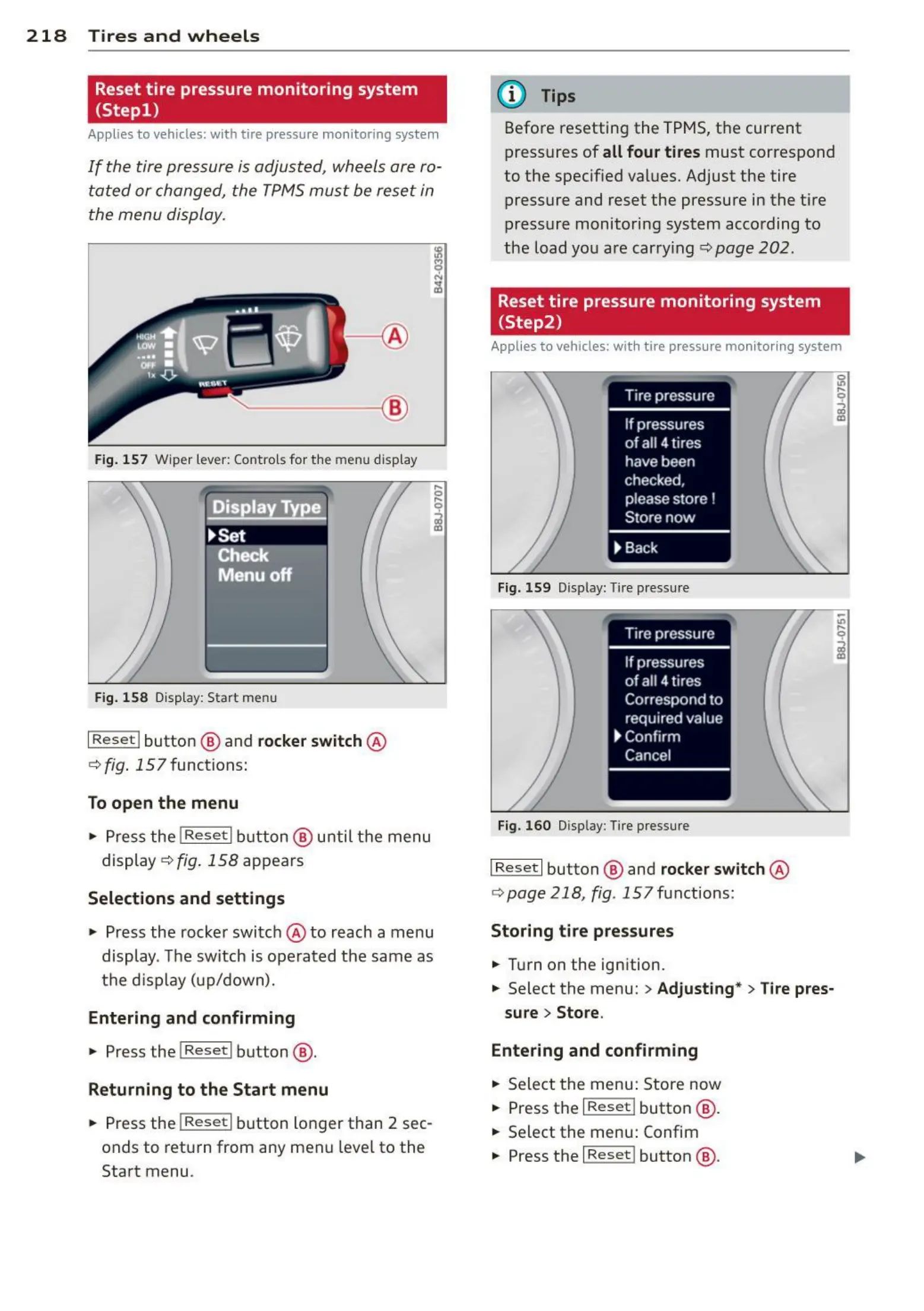
------ @
Fig. 157 Wiper lever: Controls for t he menu display
Displa Type .
~Set
!TCfieck f
Menu off
Fig. 158 Display: St art menu
I Res e t I button @ and rocker switch @
c::> fig . 157 functions:
To open the menu
• Pres s the !Reset I button @ until t he menu
display
c::> fig . 158 appears
Select ions and settings
• Press the rocker switch @ to reach a menu
display . The switch is operated the same as
the display (up/down).
Entering and confirming
• Press t he I Reset I button @ .
Returning to the Start menu
• Press the I Re s et I button longer than 2 sec-
onds to return from any menu leve l to the
Start menu .
(D Tips
Before resetting the TPMS, t he cur rent
press ures of
all four tires must correspond
to the specif ied values. Adjust the tire
press ure and reset the pressure in the ti re
pressure monitoring system acco rding to
the load you are car rying c::> page 202.
Reset tire pressure monitoring system
(Step2)
Applies to vehicles: with tire pressure monitoring system
Fig. 159 Display: Tire pressure
Fig. 160 Display: Tire pressure
I Reset I button @ and rocker switch @
c::> page 218 , fig . 157 functions:
Storing tire pressures
• Turn on the ignition.
• Select the menu:
> Adjusting* > Tire pres-
sure
> Store.
Entering and confirming
• Select the menu: Store now
• Press t he I Re s et I button @ .
• Select the menu: Confim
• Press the
I Reset ! button @ .



 To Next Page