3 8 Openin g and clo sing
If you wish, you can have an authorized Audi
dealer convert your power door lock system to
automatic locking.
Unintent ionall y locking you rself out
The vehicle does not lock with the central
locking switch ¢
page 40 if the dr iver's door
is open.
Do not lock your vehicle with the
remot e mas-
ter key unt il all doors and the rear lid are
closed. In this way you avoid locking yourself
out accidenta lly.
A WARNING
- When you lock your vehicle from outside,
nobody- especially children - should re-
main inside the veh icle. Remember,
when you lock the vehicle from the out-
side the windows cannot be opened from
the inside .
- When you leave the vehicle, always re-
move the ignition key and take it with
you . This will prevent passengers (chil-
dren, for examp le) from a ccidenta lly be-
ing locked in the veh icle should they acci-
dentally press the power locking switch.
- Do not leave children ins ide the veh icle
unsupervised. In a n emergency it would
be impossib le to open the doors from
the outside without the key.
@ Tips
- In the event of a crash with airbag de-
ployment al l locked doors will be auto-
matically unlocked to give access to the
vehicle occupants from the outside.
- If t he power locking system should ma l-
funct ion, you can lock each door indiv id -
ua lly using the vehicle key.
- If the power locking system should fail,
you can still open the fue l tank flap in an
emergency¢
page 181 .
- You are we ll advised not to keep valua-
bles inside an unattended vehicle, visib le
or not. Even a properly locked vehicle
cannot provide the security of a safe!
Unlocking and locking the vehicle with
the remote control
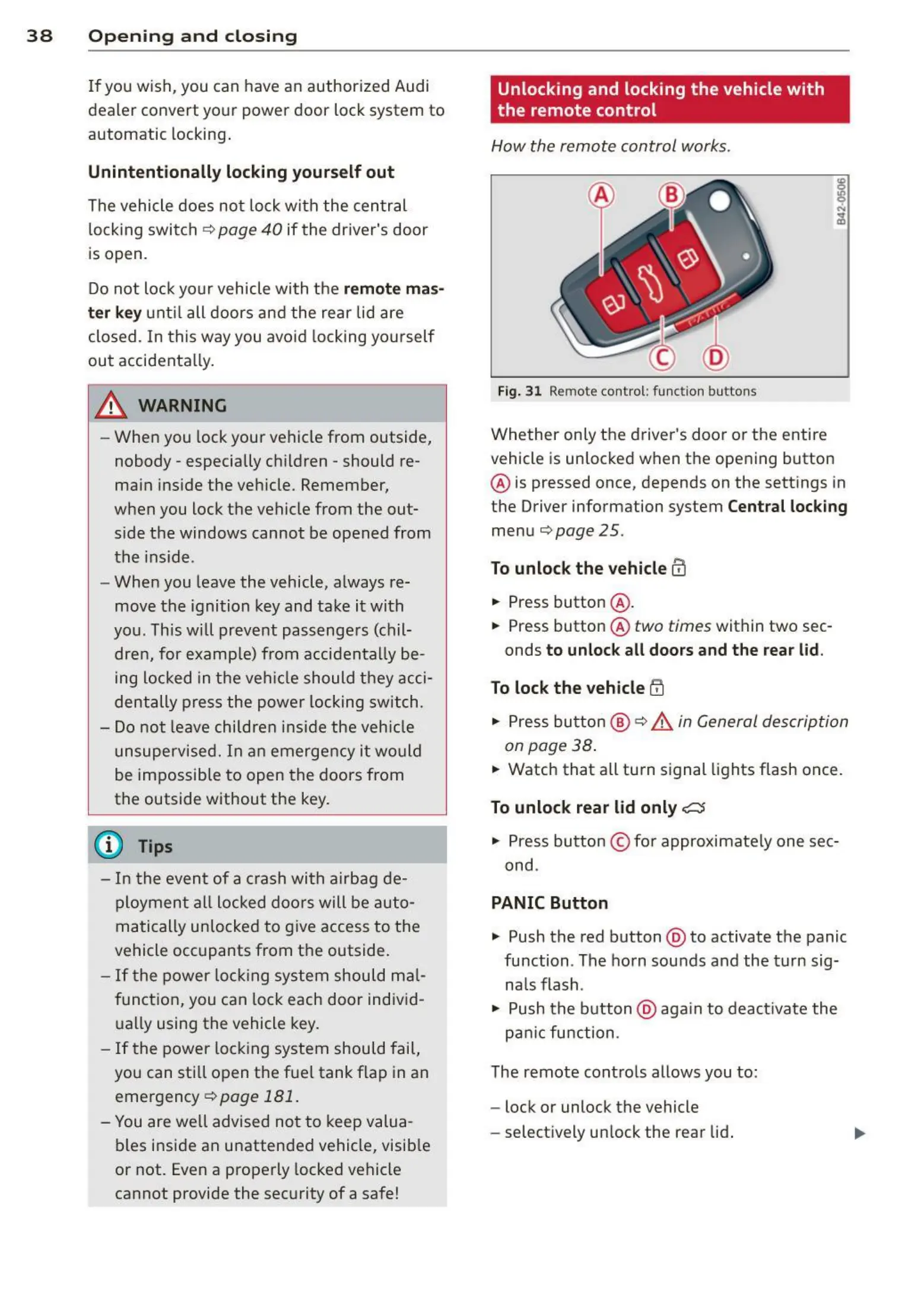
How the remote control works.
Fig. 31 Remote control : func tion buttons
Whether on ly the driver's door or the entire
vehicle is unlocked when the opening button
@ is pressed once, depends on the sett ings in
the Driver information system
Central locking
menu¢ page 25.
To unlock the vehicle CD
... Press button @ .
... Press button @
two times within two sec-
onds
to unlock all doors and the rear lid .
To lock th e vehicle !'.D
... Press button @ ¢ _&.in General description
on page 38 .
... Watch that a ll turn signal lights flash once.
To unlock rear lid only C::5
• Press button © fo r approximate ly one sec-
ond .
PANIC Button
• Push the red button @ to activate the panic
function . The ho rn sou nds and the turn sig-
na ls flash .
• Push the button @ aga in to deact ivate the
pa nic fu nction .
The remote contro ls allows you to:
- lock or unlock the vehicle
- select ively un lock the rear lid.



 To Next Page