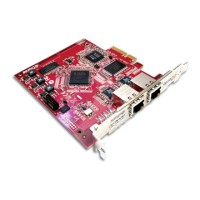
Dante PCIe-R Card
CONFIDENTIAL. Copyright © 2014 Audinate Pty Ltd. All Rights Reserved.
-16-
Note: Make sure your Ethernet cables are in good condition and have intact locking tabs.
Remember that Cat5e and Cat6 cabling has a limit of 100 meters at speeds of 1Gbps. If you require longer
distances, you can use fiber.
Network Configuration
General Information
The Dante PCIe-R is a dedicated Dante audio interface, and cannot be used by the Dante Controller
software as a channel for network control (configuring Dante devices, and routing audio).
Network control must be performed via the standard Ethernet network adaptor/s on the computer on which
Dante Controller is installed.
If this is the same computer in which the Dante PCIe-R is installed, the computer must be connected to
the Dante network via two Ethernet cables (or four, for redundant networks) and a Gigabit switch.
Note: If your switch has a mix of Gigabit and 100Mbps ports, make you connect all Dante PCIe-R
cards, and if possible all Dante devices, to the Gigabit ports.
About Dante Redundancy
Some Dante devices support redundancy (including the Dante PCIe-R card). This means that they have
two Dante network ports (RJ45 connectors). The primary port is connected to the primary Dante network.
The secondary port is connected to a separate network, with separate switches, to which other redundant
Dante devices are also connected (via their secondary ports).
Dante audio runs on the primary and secondary networks simultaneously. There is no need to set up extra
routing in Dante Controller for the secondary network.
If there is a connectivity problem on the primary network, audio traffic is maintained to all redundant
devices via the secondary network, so there is no loss of audio on those devices.
Generally, if you have the switch hardware available, it is advisable to use redundancy whenever possible.
See the Dante Controller User Guide for more information about Dante redundancy.
Network Configuration: Non-redundant
To set up a basic non-redundant network:
1. Make sure all computers are set to automatically configure their IP address.
2. Power on the switches.
3. Connect the primary Dante port on the PCIe card to a Gigabit switch.
4. Connect the computer runningDante Controller (this can be the same computer in which the Dante
PCIe-Rcard is installed) to the same switch, via its standard network interface.
5. Connect any other Dante devices to the switch via their primary Ethernet ports.


 To Next Page