Dante PCIe-R Card
CONFIDENTIAL. Copyright © 2014 Audinate Pty Ltd. All Rights Reserved.
-25-
Using the Dante PCIe Card with an Audio
Application
Choosing an Audio Application
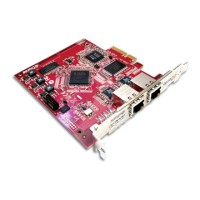
The Dante PCIe-R acts like a standard Core Audio device in an Apple Mac machine, and like an ASIO
sound device in a PC running Windows.
ASIO for Windows
There are a number of different audio interfaces commonly used by Windows. The Dante PCIe-R provides
an ASIO audio interface, and is compatible with audio applications that support this standard. This is the
interface preferred by most pro audio applications such as Cubase
®
and Nuendo
®
.
Note: The Dante PCIe-R does not support Windows audio interfaces (such as WDM/MME and
DirectX) and cannot be used with common media players available for Windows, including
Windows
®
Media Player and iTunes
®
.
Core Audio for Mac OS X
The Core Audio interface is used by almost all audio applications available for Mac OS X. This allows you
to use the Dante PCIe-R with applications ranging from professional audio applications such as Logic to
media players such as iTunes.
Choosing Dante as your Audio Interface
Audio applications generally provide a mechanism for selecting the sound card that they will use. Before
configuring the application to use the Dante PCIe-R as its audio interface, make sure you have configured
the card with your required settings (sample rate and latency) and rebooted your computer if necessary.
Windows
Select and configure the Dante PCIe-R as your audio interface from within the audio application. It should
appear as “Dante PCIe ASIO Driver” in the list of available soundcards. Note that if “Dante PCIe ASIO
Driver” does not appear in the list of available sound cards, the Dante PCIe-R is either not installed
properly or not operating correctly.
Mac OS X
You will need to set the Dante PCIe-R as the system’s default sound card in order to use applications like
iTunes. More sophisticated audio applications such as Logic allow you to select the card from within the
application itself.
For applications which allow a sound card to be selected, choose “Dante PCIe” from the list of available
sound cards for both input and output. Note that if “Dante PCIe” does not appear in the list of available
sound cards, the Dante PCIe-R is either not installed properly or not operating correctly.


 To Next Page