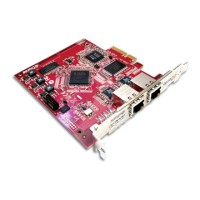
Dante PCIe-R Card
CONFIDENTIAL. Copyright © 2014 Audinate Pty Ltd. All Rights Reserved.
-20-
Dante PCIe-R Basic Operation
Once you have installed a Dante PCIe-R in your computer and connected it to a network, you are in a
position to start using Dante networking in earnest to set up audio routes between devices, including other
Dante-enabled devices you may have on the network, and any other computers running Dante Virtual
Soundcard.
Pre-operation Checklist
To start configuring and using your Dante PCIe-R and Audinate software you should have completed the
following:
n Installed your Dante PCIe-R in your computer
n Installed the Dante PCIe-R drivers
n Downloaded and installed your Audinate software (Dante Controller, and optionally Dante Virtual
Soundcard)
n Set up a network between your computer and your Dante-enabled devices
n Referred to the Dante Controller (and optionally, Dante Virtual Soundcard) User Guides
Using Dante Controller
When you open the Dante Controller it displays a grid view, which shows all the Dante-enabled devices on
the network. Initially it will display devices, but not channels within devices. Devices with transmitter (Tx)
channels will be displayed along the top row and devices with receiver (Rx) channels will be displayed in
the left hand column Channels can be viewed by clicking on the + symbol next to Dante Transmitters or
Dante Receivers, or the + symbol next to a particular Dante device.
Note: The Dante Controller user guide contains detailed information about all aspects of using the
Dante Controller. This section is only a brief overview – you will need to refer to the Dante Controller
User Guide to be able to use all features of the Dante Controller.


 To Next Page