Dante PCIe-R Card
CONFIDENTIAL. Copyright © 2014 Audinate Pty Ltd. All Rights Reserved.
-32-
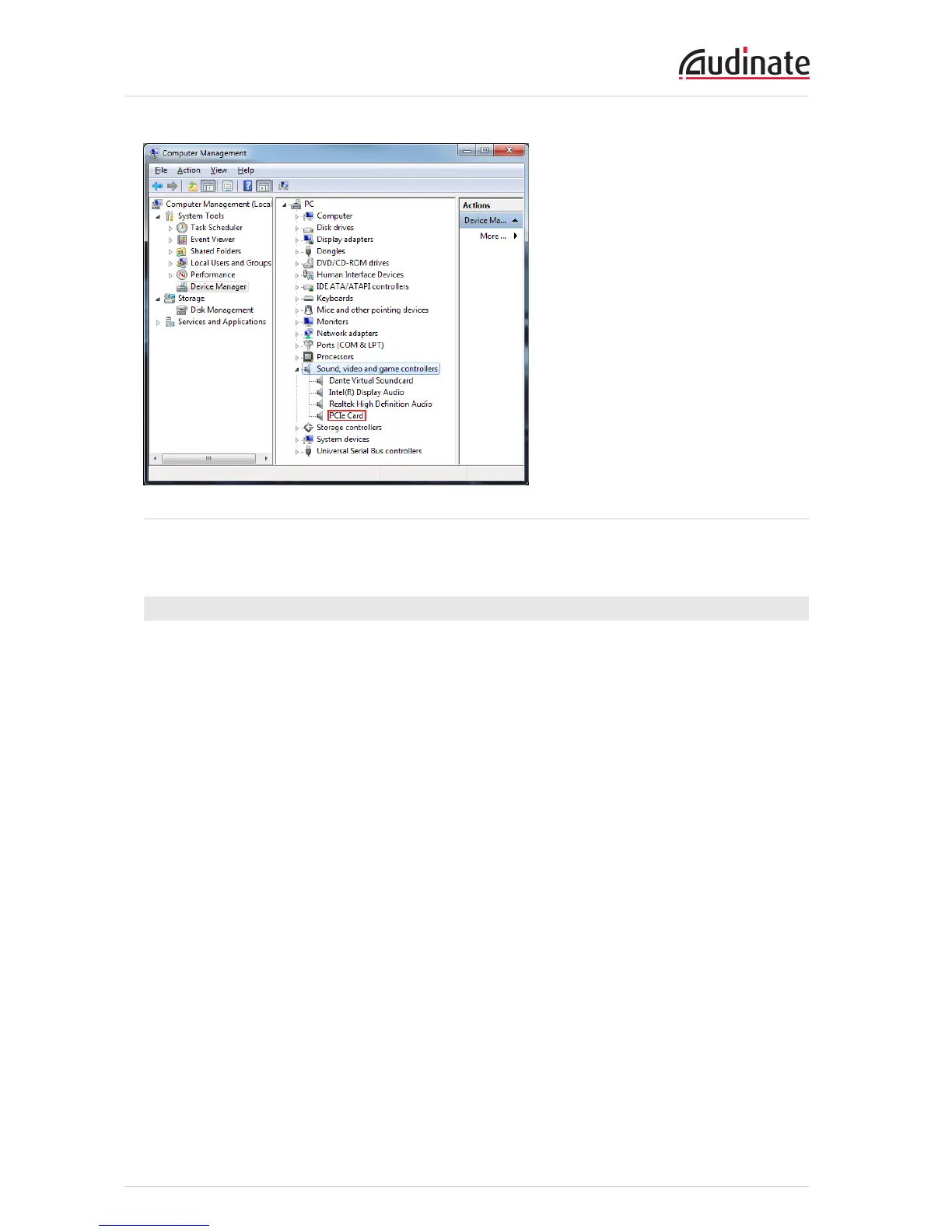
Figure 12 - Windows Device Manager
To check the driver version, right-click the device, select Properties, and select the Driver tab.
Mac OSX
In Mac OSX, an installed Dante PCIe-R will appear in the System Profiler.
The System Profiler is in the Utilities folder within your Applications folder.
The PCIe card will appear in the Hardware section under PCICards, but to see the driver version,
navigate to Software > Extensions.


 To Next Page