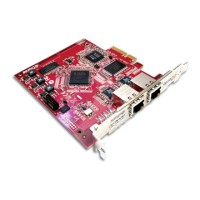
Dante PCIe-R Card
CONFIDENTIAL. Copyright © 2014 Audinate Pty Ltd. All Rights Reserved.
-5-
Configuring the Card 21
Identifying Individual Dante PCIe-R Cards 22
Changing the Device Name 23
Changing Channel Labels 23
Changing the Sample Rate 23
Setting the Latency 23
Using the Dante PCIe Card with an Audio Application 25
Choosing an Audio Application 25
ASIO for Windows 25
Core Audio for Mac OS X 25
Choosing Dante as your Audio Interface 25
Windows 25
Mac OS X 25
Troubleshooting 29
Introduction 29
Network Configuration 29
Gigabit Ethernet 29
What are the symptoms of NOT using Gigabit Ethernet? 29
How can I check whether I AM using Gigabit Ethernet? 30
Computer Configuration 30
Switch Configuration and Cabling 30
Symptoms of switch or cabling issues 30
Switch and Cabling Checklist 31
System Checklist 31
Checking Driver Version 31
Windows 31
Mac OSX 32
Dante Configuration 33
Sample Rate 33
Sample rate configuration 33
Windows PC Optimization for Audio 33
Advanced Configuration 35
Very Advanced Configuration 35
Index 36


 To Next Page