INSTALLATION and POWER
page 1 – 2
R-55e / July 2004
Installation and Power
Unpacking the Console
The R-55e console is shipped as two packages. One (larger) carton
contains the console and technical documentation; and the other (smaller)
contains the rackmount power supply, connecting cable, and connector
kit.
Countertop Mounting
The R-55e audio console is designed for countertop mounting. Con-
sole placement should avoid proximity to any electromagnetic fields,
such as large power transformers, motors, and fluorescent lighting
fixtures. If you will be securing the console to the counter top, you may
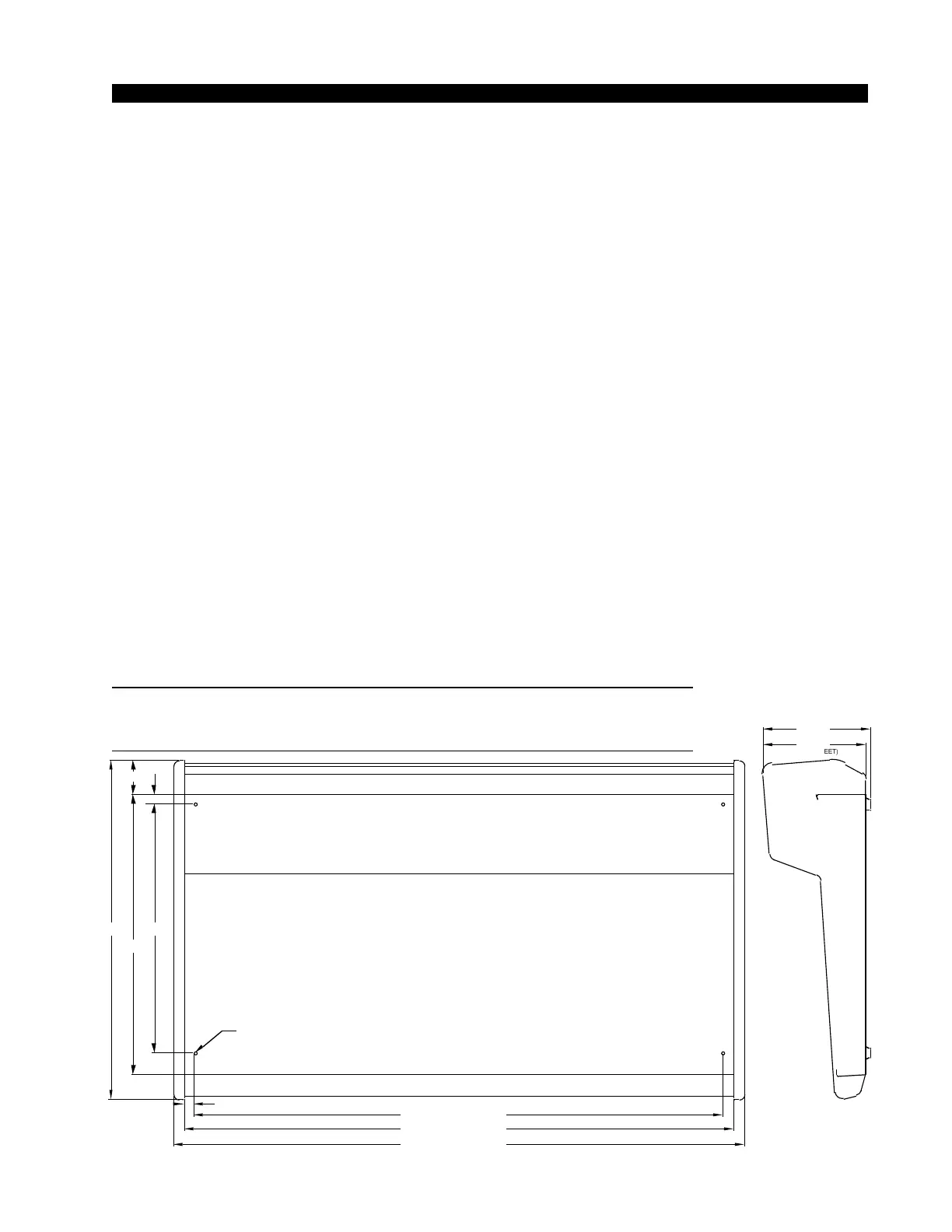
want to pre-drill the mounting holes (see sketch below).
Set the console in place on the counter, and remove the screws that
hold down the first and the last modules in place (two per module).
Carefully remove those modules from the frame. Attach the console
mainframe to the counter top, using the holes provided in the bottom of
the chassis and screws appropriate to the counter material, and reinstall
the removed modules.
The console extends approximately 7 5/8” above the countertop at the
meterbridge. The hinged meterbridge will require 14” above the countertop
surface and 4 3/4” behind the rear meterbridge to open freely.
Do not connect the R-55e console to its power supply (and do not
connect the power supply to the AC power line) until instructed to do
so.
NOTE: This console con-
tains static-sensitive de-
vices. Normal precau-
tions against static dis-
charge should be ob-
served when handling
individual modules.
NOTE: Dimensions shown are for 26-position
frames; 18-position frames dimensions shown in [];
12-position frames dimensions shown in ().
7.369
(WITHOUT FEET)
7.6341
40.770 [28.690]
19.630
24.180
37.750 [25.670]
16.610
17.750
39.270 [27.190]
18.130
.760
D = .171"; USE #8 SCREWS
2.356
20.044
.750


 To Next Page