page 6 – 2
R-55e / Oct 2007
SECOND STUDIO MODULE
Second Studio Module
(SS-55e; optional)
Module Overview
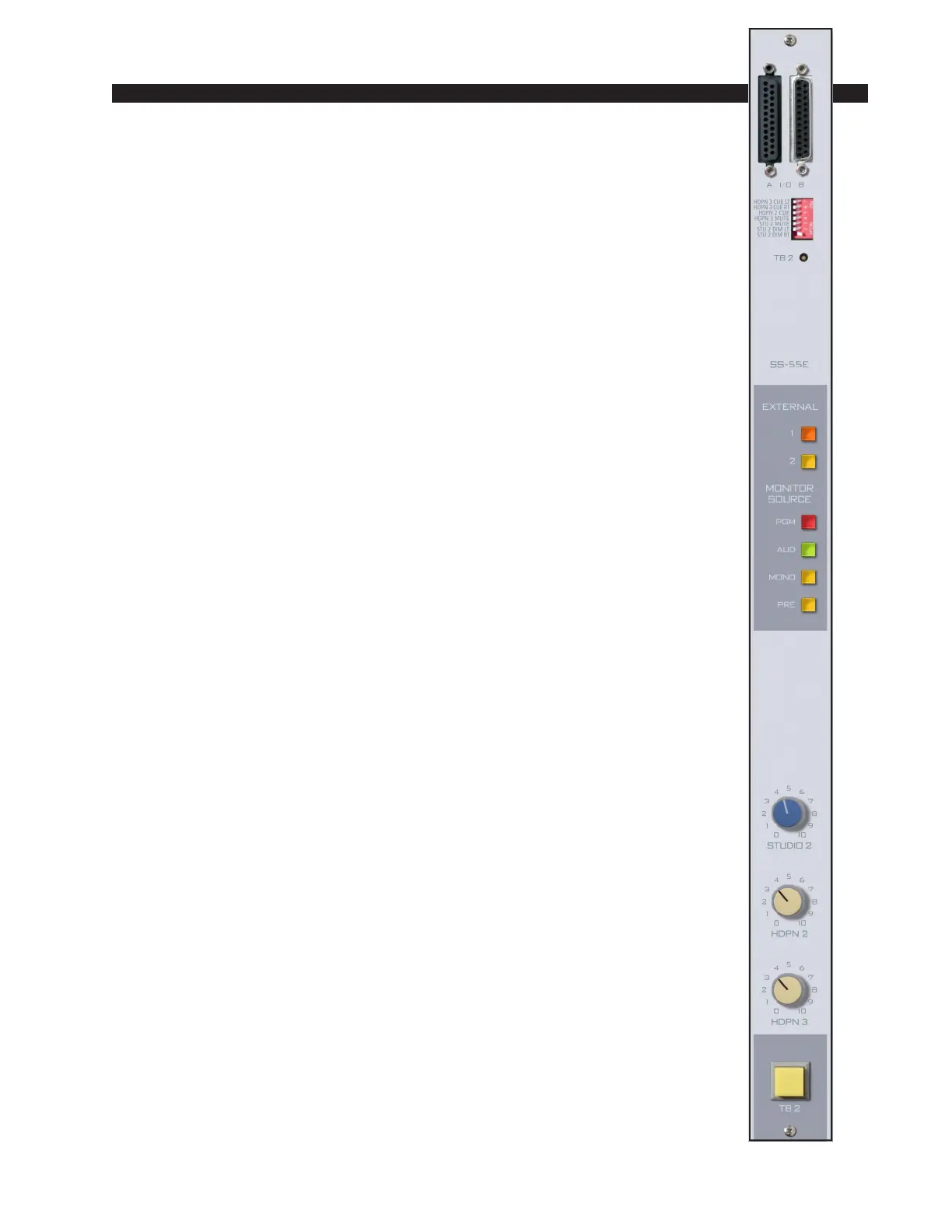
The optional SS-55e module is similar to the CRS-55e module. The
monitor signal being sent to this studio follows the source select switching.
This switching is indentical to the control room/monitor module’s and
includes the console’s two stereo (PGM & AUD) outputs, two mono
(MONO & PRE) outputs and two external stereo line level inputs brought
directly into the module.
A recessed front panel multi-turn trimpot adjusts talkback level.
The SS-55e module also houses three console monitor circuits, which
follow the source selection switches. They are:
STUDIO—a stereo output intended for a remote studio power amp/
speaker system;
HEADPHONES (HDPN2 & HDPN3)—two additional line level
balanced outputs to drive power amplifiers for guest or produce head-
phones. Both pre and post fader outputs are provided.
MONITOR OUTPUT—a monitor source select (without CUE or
MUTE interrupt) independent output.
The SS-55e module has a talkback switch. When the talkback switch
is pressed (it is momentary action), any microphone assigned to talkback
bus (see pages 3-3) will interrupt the regular monitor signals being sent to
the second studio output.
All user wiring to and from the SS-55e module takes place at the
DB-25 multi-pin connectors mounted at the top of the module and located
underneath the hinged meterbridge. There are two connectors: the left one
accepts the external 2 source input and handles audio outputs; the right
accepts the external 1 source input and handles audio outputs. All audio
connections are stereo line level analog signals. A pinout drawing on page
6-6 shows all wiring connections at a glance.


 To Next Page