page 3 – 5
R-55e / July 2004
STEREO LINE INPUT
To Turn the Module ON & OFF from a Remote Location
In the case of stereo line input modules, “remote location” can also
refer to a remote source machine that is feeding its audio to the module in
question. A contact closure (which may be sourced by the external
machine), will activate the module’s channel ON and OFF switches.
REMOTE ON — Activates the module’s channel ON switch. Momen-
tarily connect Pin 14 (Remote On) and Digital Ground (Pin 19) to latch the
module ON. (User-supplied momentary contact switch required.)
REMOTE OFF — Activates the module’s channel OFF switch.
Momentarily connect Pin 16 (Remote Off) and Digital Ground (Pin 19) to
latch the module OFF. (User-supplied momentary contact switch re-
quired.)
COUGH — Temporarily Mutes the module. Provide a closure be-
tween Pin 1 (Cough) and Digital Ground (Pin 19). This will turn the
module OFF. Note this is a non-latching mode; the module will turn ON
again as soon as the closure stops. (User-supplied momentary contact
switch required.)
To START and STOP Remote Source Machines Using Module
ON/OFF Switches
EXTERNAL START — Hook up the remote machine’s “start” control
pins to the SL-55e module’s DB-25 connector control pins: for START
wire to Pins 3 and 5.
EXTERNAL STOP — Hook up the remote machine’s “stop” control
pins to the SL-55e module’s lower DB-25 connector control pins: for
STOP wire to Pins 4 and 5.
To Control the Module’s OFF Switch LED with an External Source
Machine
READY — Hook up the remote machine’s Ready output to the
SL-55e module’s DB-25 connector pin 2 (Ready) and pin 19 (Ground).
The module’s Ready port is looking for a contact closure. As long as the
closure is maintained, the module’s OFF LED will be illuminated.
Talkback to Control Room
If an SL-55e module is being used for a studio microphone, this
connection allows talkback from that studio to the console operator.
Provide a closure between Pin 17 (TB to CR) and Digital Ground (Pin 19).
This will cause the module’s pre fader signal to be sent to the console’s Cue
bus, where it may be heard by the console operator. This non-latching
condition continues until the closure is released. (Requires user-supplied
momentary action TALKBACK switch at the studio microphone loca-
tion.)
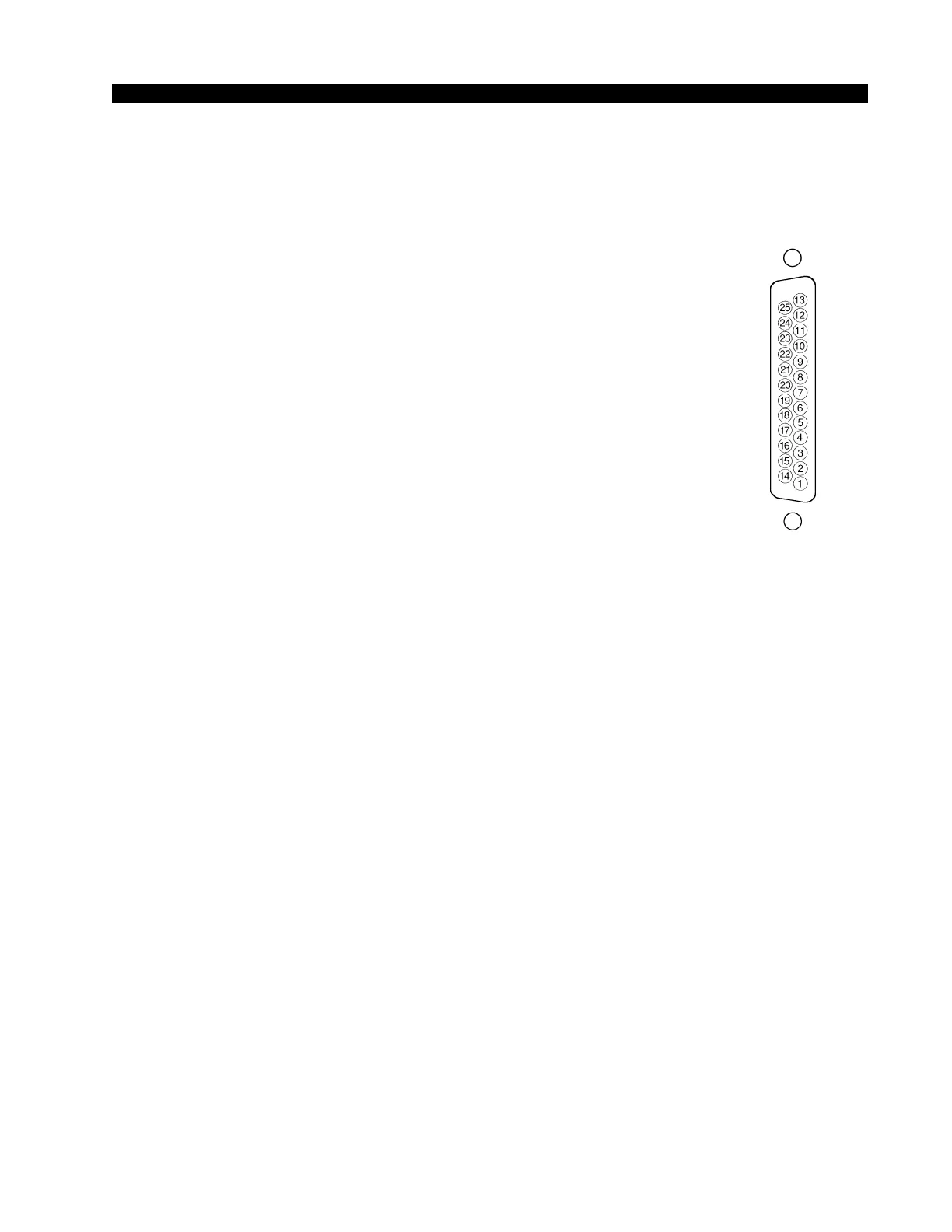
Typical DB-25
connector


 To Next Page