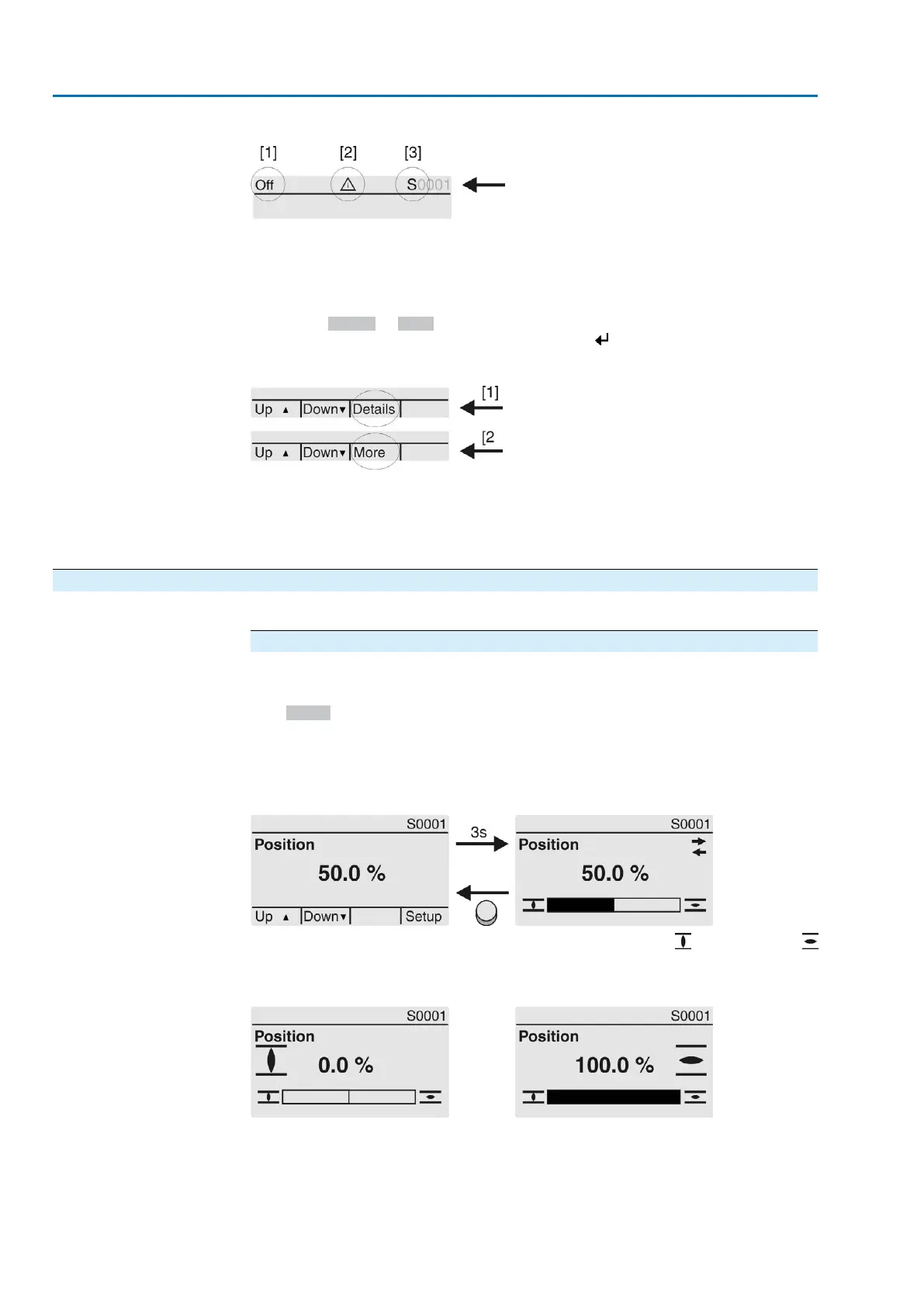
Figure 60: Information in the status bar (top)
[1] Operation mode
[2] Error symbol (only for faults and warnings)
[3] ID number: S = Status page
Navigation support
If further details or information are available with reference to the display, the following
indications Details or More appear in the navigation support (bottom display row).
Then, further information can be displayed via the push button.
Figure 61: Navigation support (bottom)
[1] shows list with detailed indications
[2] shows further available information
The navigation support (bottom row) is faded out after approx. 3 seconds. Press any
push button (selector switch in position 0 (OFF)) to fade in the navigation support.
7.2.1. Feedback indications from actuator and valve
Display indications depend on the actuator version.
Valve position (S0001)
This indication is only available if a position transmitter (potentiometer, EWG, RWG
or MWG) is installed in the actuator.
●
S0001 on the display indicates the valve position in % of the travel.
●
The bar graph display appears after approx. 3 seconds.
●
When issuing an operation command, an arrow indicates the direction
(OPEN/CLOSE).
Figure 62: Valve position and direction of operation
Reaching the preset end positions is additionally indicated via (CLOSED) and
(OPEN) symbols.
Figure 63: End position CLOSED/OPEN reached
0% Actuator is in end position CLOSED
100% Actuator is in end position OPEN
56
SA 25.1 – SA 48.1/SAR 25.1 – SAR 30.1
Indications AC 01.2 Intrusive HART



 To Next Page