36
STEP 1
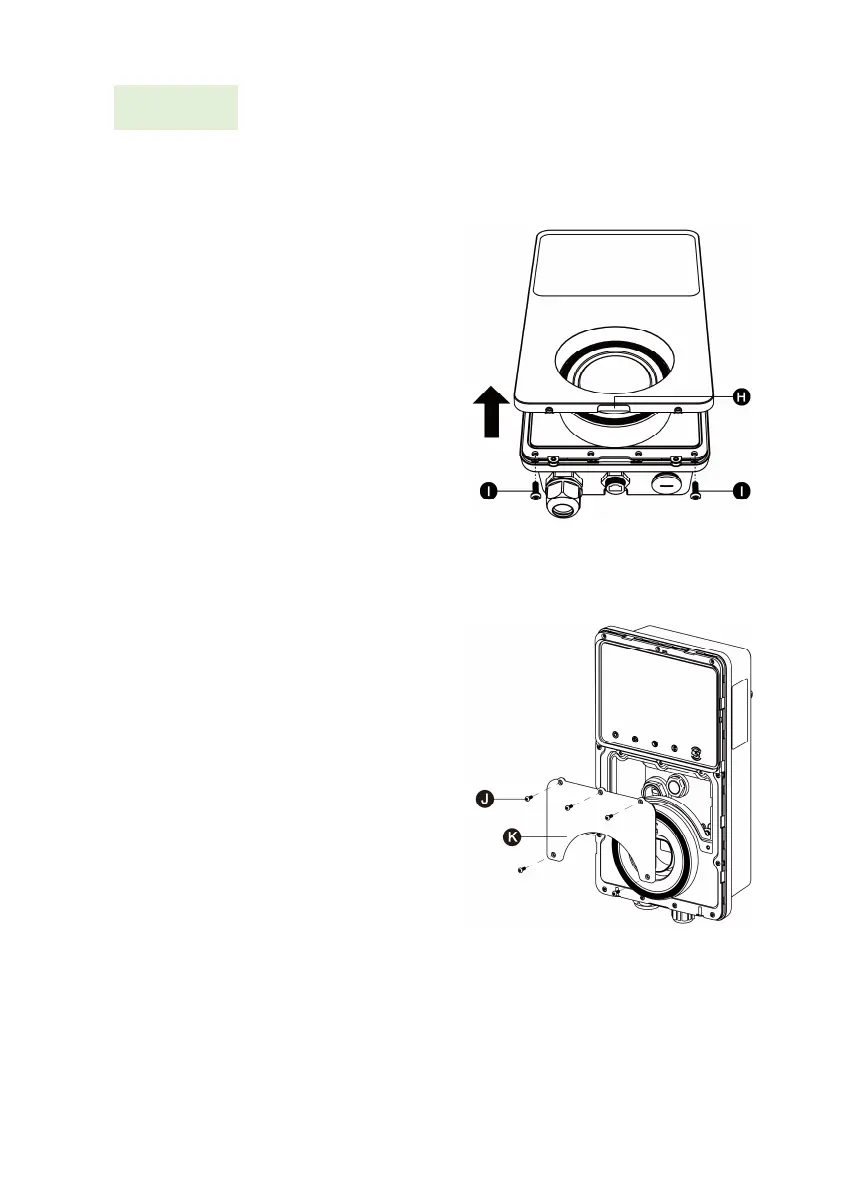
1. Remove the two screws (I)
at the bottom of the
charging station with the
T10 Torx screwdriver. Then
remove the faceplate from
the middle of the clasp (H).
Set them aside.
2. Unscrew the five screws (J)
to remove the maintenance
cover (K). Set them aside.













 To Next Page