77
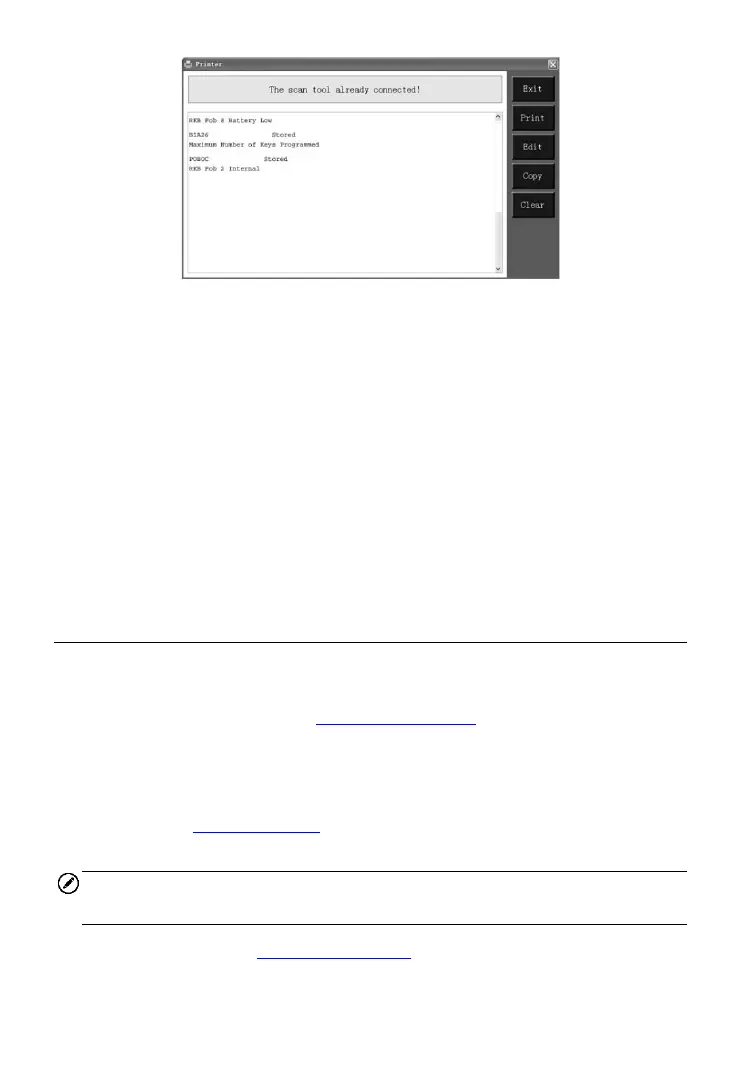
Figure 9-1
6) The selected data will display on the textbox of Printer. By selecting the
function keys on the right, you could execute the following operations:
Print – print all data in the textbox (A printer should be connected to
the computer).
Edit – display an editable NOTEPAD window with recorded data.
Copy – copy data in the textbox to the clipboard.
Clear – delete data in the textbox.
Exit – quit the operation.
7) You are also allowed to edit, copy, and delete the data in the Printer
window.
Software Update
This function allows you to update the scan tool software through a
computer. You can use a Mac or a Windows-based computer to download
the suitable version from the www.maxitpms.com website and proceed.
Register the Tool
User could update the scan tool ONLY after you had registered the tool on
our website: www.autel.com. Then you could download software, update
online, retrieve information and get warranty service.
NOTE
Prior to registration, please confirm your network is working properly.
1. Visit our website http://pro.autel.com.
2. If you already have an Autel account, Sign In with your account ID and



 To Next Page