Page 10 579-1165AC Rev C
4007ES Operator’s Manual
4.2.7 Viewing the Alarm Condition Details
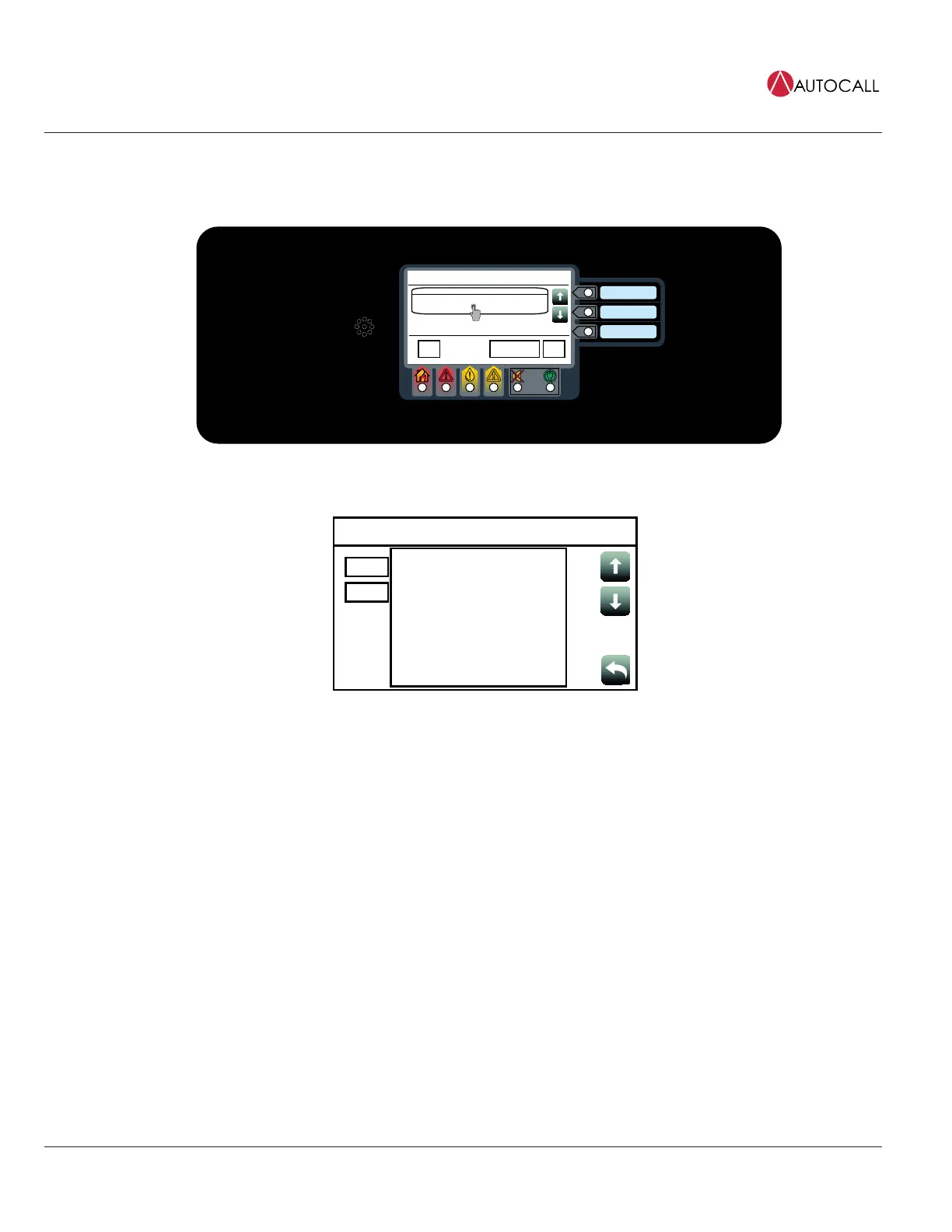
Each alarm condition contains detailed information on the point (or points) that have triggered it. To access that info:
1. Tap on a desired alarm condition from the Fire Alarm in System screen. That alarm condition can either be a point or a zone containing a
variety of points. A point in alarm is shown as an example.
Date
Time
Fire Alarm in System
PULL STATION 1
FIRE ALARM
Date
First of 1
MenuAlarm Functions
ACK
1
Fig 13: Viewing the Alarm condition
2. Take the necessary actions, using the buttons available at the point details screen. A pull station point is shown as an example here.
M1-1-0
PULL STATION 1
Date
Time
Enable
Disable
M1-1
M1-1 PULL STATION
DEVICE ADDRESS: 2-1 TYPE: ADRPUL
IDNET2 CARD
UNIT NUMBER: 0 RUI NUMBER: LOCAL
---------------------------------------------------------------------
PRIMARY STATUS FIRE ALARM
CURRENT DEVICE CORRECT DEVICE
DEVICE ON-LINE
PHYSICAL STATE ABNORMAL
RAW STATE ABNORMAL
ACTIVE STATE OFF
ARMED STATE ARMED
ENABLED STATE ENABLED
Fig 14: Point details screen



 To Next Page