Page 6 579-1165AC Rev C
4007ES Operator’s Manual
4 Alarm Conditions
An alarm condition occurs when an initiating device (such as a manual pull station, smoke detector, etc.) activates. The panel indicates the presence of
the alarm condition by:
• Flashing the Fire or PRI2 LEDs.
• Displaying messages on the user interface.
• Activating the building’s notification appliances (horns and strobes).
4.1 Screen Buttons
Fig 3: Alarm conditions screen buttons
4.2 Recognizing an Alarm Condition
When an alarm condition occurs, the following events occur at the user interface:
Table 2: Alarm condition events
Fire PRI2
The Fire LED begins to blink The PRI2 LED begins to blink
The piezo begins to sound a pulsating tone The piezo begins to sound a pulsating tone
The user interface displays the Fire Alarm in System screen, which
shows the list of all the triggered alarms.
The user interface displays the PRI2 Alarm in System screen, which
shows the list of all the triggered alarms.
Note: A zone groups multiple points together, and the Zone Fire and Zone PRI2 Alarms lists display all the zones where alarm conditions occurred.
You can view the points that triggered the alarms within each zone by pressing on any given zone from the list.
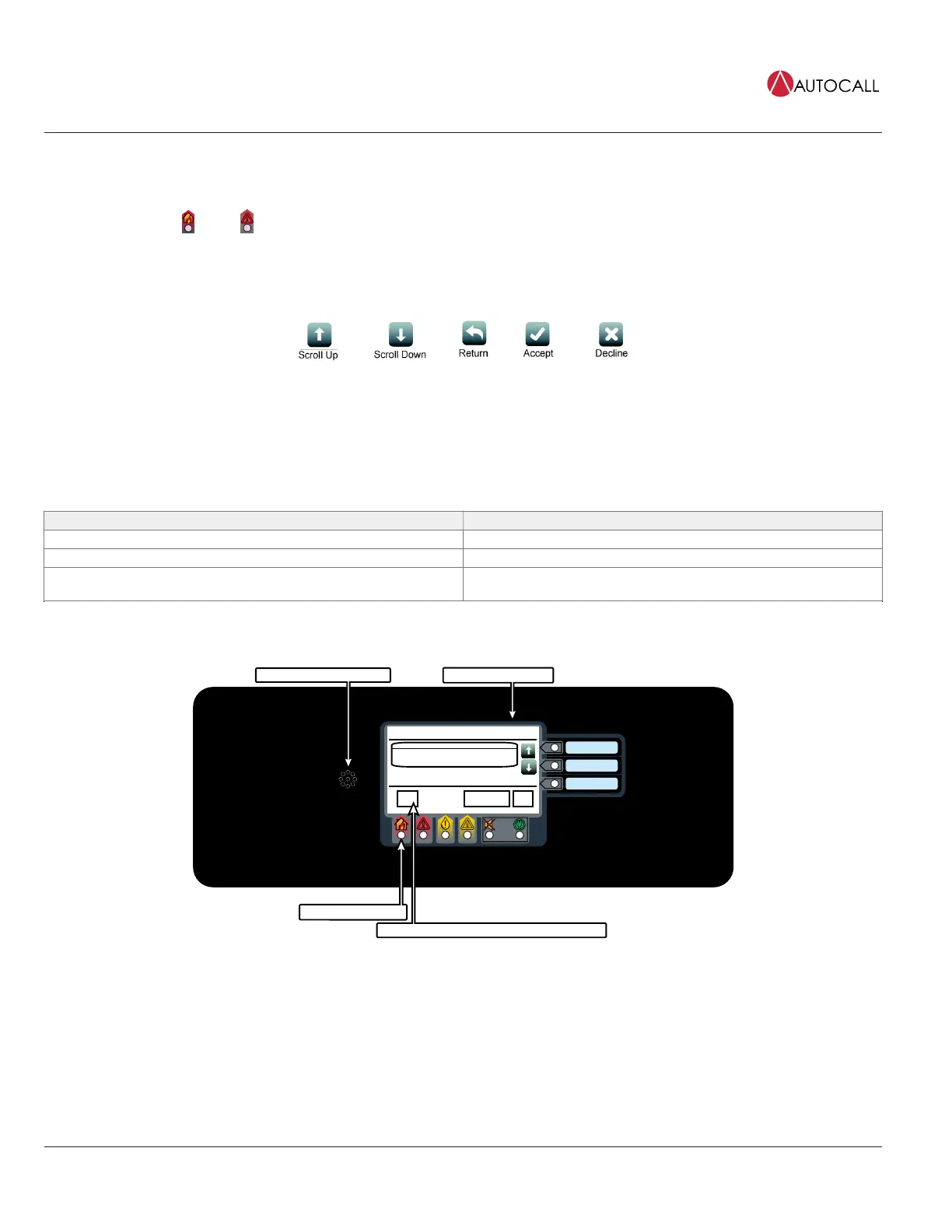
Piezo is emitting a pulsating tone
A list of alarms is displayed
The Fire LED is blinking
Date
Time
Fire Alarm in System
PULL STATION 1
FIRE ALARM
Date
First of 1
MenuAlarm Functions
ACK
1
The number displayed represents the number of alarms
Fig 4: Alarm Condition Screen (Fire Alarm Shown as an Example)
The piezo can be silenced by pressing anywhere on the user interface touchscreen. Until the alarm conditions are acknowledged, it will re-sound after
1 minute of inactivity at the user interface.



 To Next Page