8
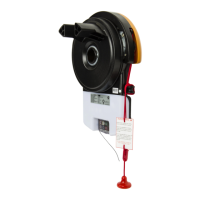
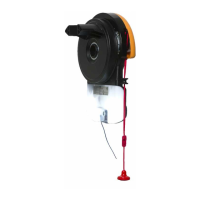
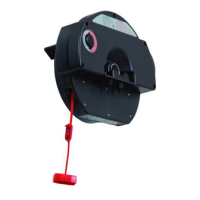
GDO-6v4 EasyRoller
®
Owner Installation Instructions
Operating Controls
TERMINAL BLOCK.
V+ is used to power devices such as Wireless PE Beam, external receiver etc.
EB1 fi rst Safety Beam input.
0V (Input) is a 0 volt connection for PE Beam, external receiver, osc, aux etc.
EB2 second Safety Beam input.
0V (Input) is a 0 volt connection for PE Beam, external receiver, osc, aux etc.
O/S/C INPUT is used for the connection of a wired switch (momentary contact). This switch can then be
used to open, stop or close the door. Install the wall switch in a location where the switch is out of reach of
children and the garage door is visible.
AUX output can be used to control another device (such as alarm system etc) via the opener’s remote
control.
LIGHT CODE button (White) is used for storing or erasing the transmitter button (code) you wish to use
to switch the courtesy light on the opener on or off.
CODING LED (Red) light fl ashes when a code is being stored or when a transmitter button is pressed.
DOOR CODE BUTTON (Blue) is used for storing or erasing transmitter buttons for door operation.
DOOR STATUS LED (Yellow)
CLOSE button (Red) is used during installation to help set the close limit position. Pressing and holding
this button will move the door in the close direction. Movement stops when the button is released.
NOTE: The safety obstruction detection is inoperable when the CLOSE button is used to move door.
CLOSE LIMIT LED (Red) the LED is very helpful during installation. It illuminates and fl ashes when the
door is closing and remains steady on when the close limit position has been reached.
AUTO CLOSE TIME button (White) is used to adjust the Auto-Close time. Pressing the open button
whilst pressing the Auto Close button increases length of operation. Each press will increase the time by 5
seconds. Pressing the close button will decrease the time.
FORCE MARGIN SET button. The obstruction force margin is set automatically during installation. The
margin can be adjusted manually using the Force Margin Set button (White). Holding the Force Margin
Set button and pressing OPEN or CLOSE buttons will increase or decrease the amount of force. The Force
Margin Set should only be used if environmental factors (wind, etc.) affect the door’s operation.
OPEN LIMIT LED (Green) the LED is very helpful during installation. It illuminates and fl ashes when the
door is opening and remains steady on when the open limit position has been reached.
OPEN button (Green) is used during installation to help set the open limit position. Pressing and holding
this button will move the door in the open direction, releasing stops the door.
NOTE: The safety obstruction detection is inoperable when the OPEN button is used to move door.
OPERATE button (Yellow) is used during installation to test the open, stop and close cycles for the
opener. The opener has to be initialised by the Reset button to make the O/S/C button operable.
SET button (Yellow) is used during the installation phase together with the Open and Close buttons to set
the door limit positions. The Set button is also used to re-initialize the Opener.
ENGAGE/DISENGAGEMENT CORD enables manual door operation, especially useful during
power failures. At the cord’s end is the
EASY ACCESS TRANSMITTER; a wireless door controller.
JP1 SOLAR CONNECTOR the shunt must be fi tted for solar operation.
01
02
03
04
05
06
07
08
09
10
11
12
14
13
15








 To Next Page