Owner Installation Instructions GDO-6v4 EasyRoller
®
25
Final Setup
Step 20 - Auxiliary Output
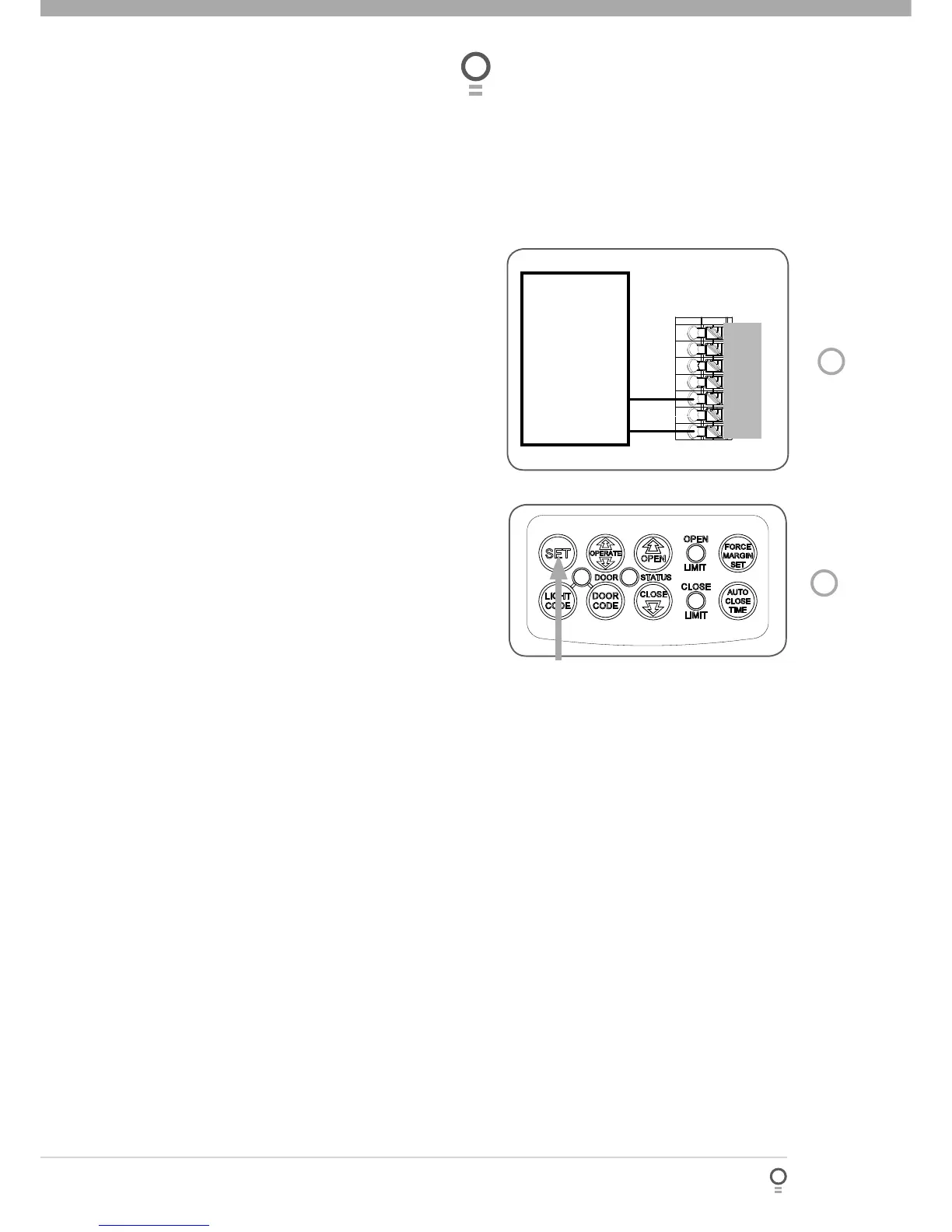
The auxiliary output can be used to control alarm or
another garage door opener. A valid transmission
from the pre-coded transmitter will cause the auxiliary
output to pulse for approximately 1 (one) second. The
maximum DC voltage must not exceed 35 volts DC.
Maximum current must not exceed 80 ma.(Fig. 34).
Step 21 - Reset all Factory Defaults
Turn power to the opener off.
Press and hold the SET Button (Fig 35).
Turn power on while holding the SET button.
Continue to hold until all LED’s are off.
This will not erase transmitter codes stored in
memory.
a.
b.
c.
d.








 To Next Page