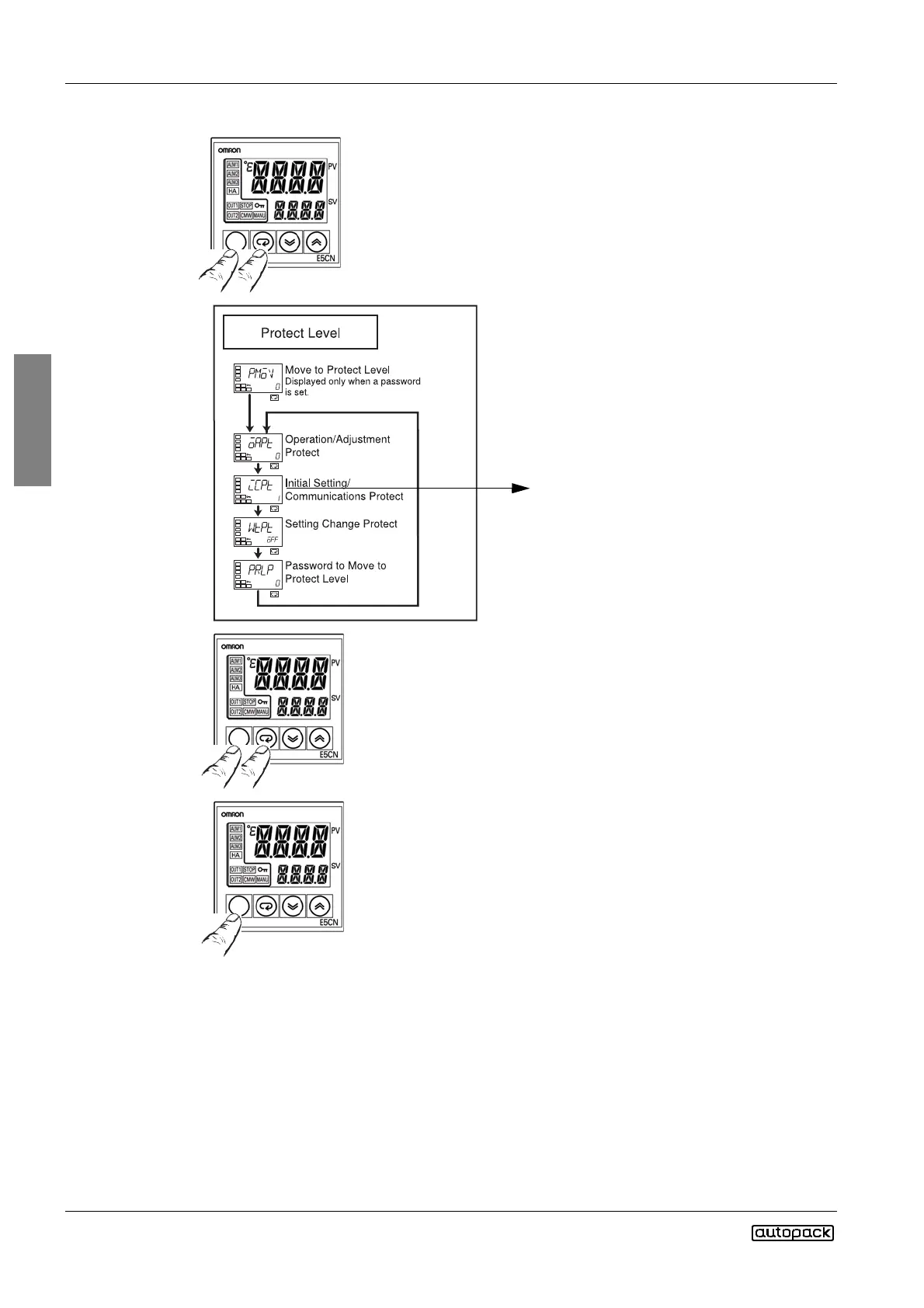
Set to 0 by pressing the down key. This will
remove the protection for the controller to
make the setting changes.
2) Press the level and mode keys together for at least 1 sec to return
to operation level.
1) Press the level and mode keys together for at least 3 seconds. Dis-
play indicators will flash for 1 sec and controller enters to Protect Level.
3) Press the level key for at least 3 seconds.
The display will flash and controller will enter to Initial Setting Level.
Change the values as given below.



 To Next Page