ECM-BT45 User’s Manual
ECM-BT45 User’s Manual 49
Primary Video Adaptor. Disable:
Always disable IGD.
Enabled[Default],
Disabled
Enable: Enable IGD Turbo Enable.
Disable: IGD Turbo Disable.
Select which of IGD/PCI Graphics
device should be Primary Display.
Enabled,
Disabled[Default]
Enable/Disable GFX Boost.
Disabled
LITE Mode[Default]
SERPENT Mode
Enable/Disable Protected Audio
Video Control.
64M[Default]/96M128M/160M/192M/
224M/256M/288M/320M/352M/
384M/416M/448M/480M/512M
Select DVMT 5.0 Pre-Allocated
(Fixed) Graphics Memory size used
by the Internal Graphics Device.
Select DVMT 5.0 Total Graphics
Memory size used by the Internal
Graphics Device.
Select the Aperture Size.
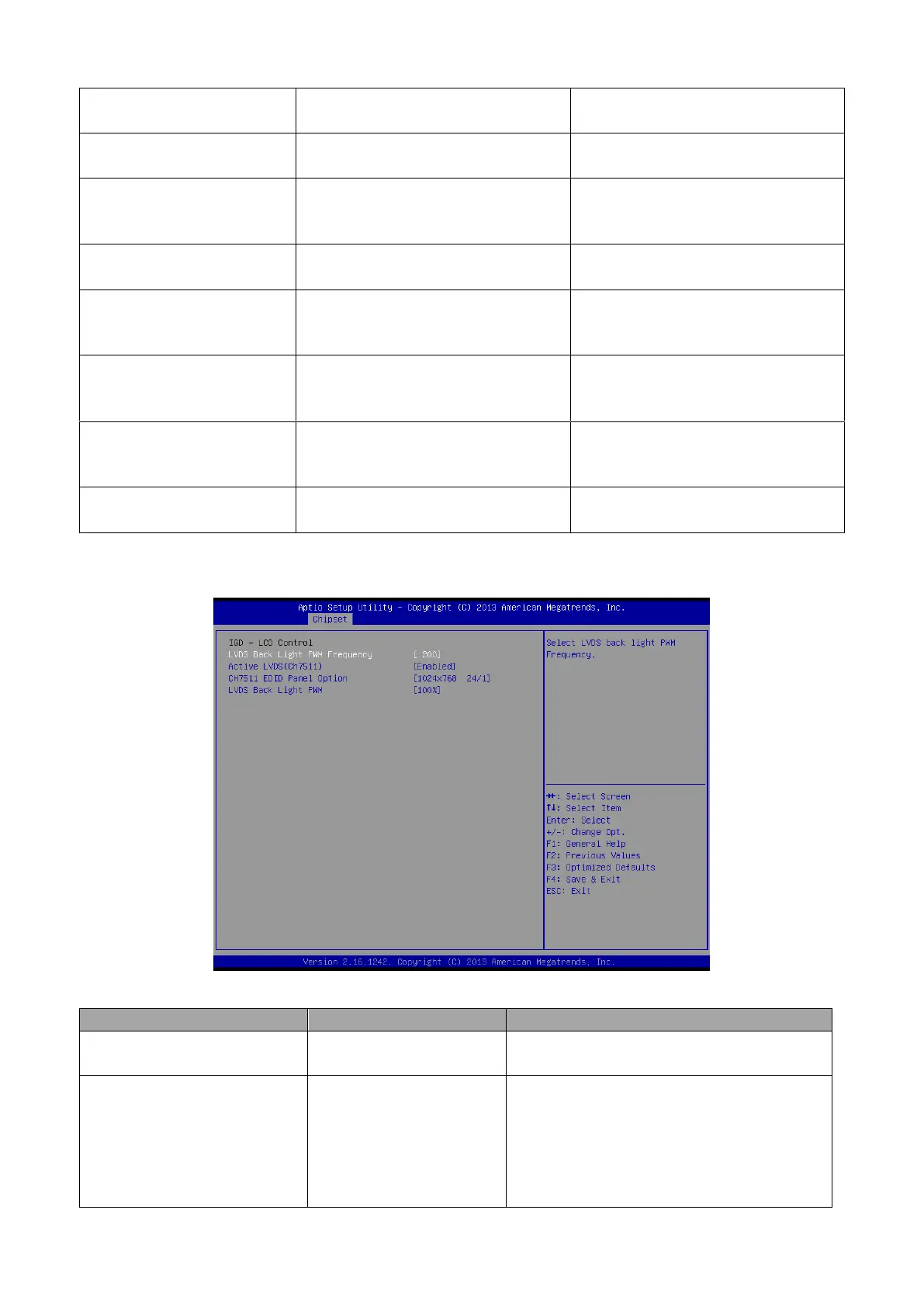
3.6.3.1.2 IGD - LCD Control
Enabled[Default]
Disabled
Active Internal LVDS(eDP->Ch7511-
to –LVDS).
1024x768 24/1
800x600 18/1
1024x768 18/1[Default]
1366x768 18/1
1024x600 18/1
1280x800 18/1
Port1-EDP to LVDS (Chrotel 7511) Panel
EDID Option.



 To Next Page