Avantik Cryostat QS11 / QS11UV
Avantik
36 Commerce St.
Springfield NJ 07081 / USA
387 779 - English
17
2-3 BASIC OPERATIONAL RULES
After having turned on the instrument, the two
displays show the set chamber temperature as
well as the number of sections, the section
thickness sum as well as the remaining travel
to the front end position. Section thicknesses
are indicated via LEDs.
2-3-1 ACTUAL AND SET VALUE OF
THE TEMPERATURE
The cooling of the microtome chamber can be
controlled by the corresponding part of the
operating controls. The actual temperature of
the microtome chamber is shown in °C on the
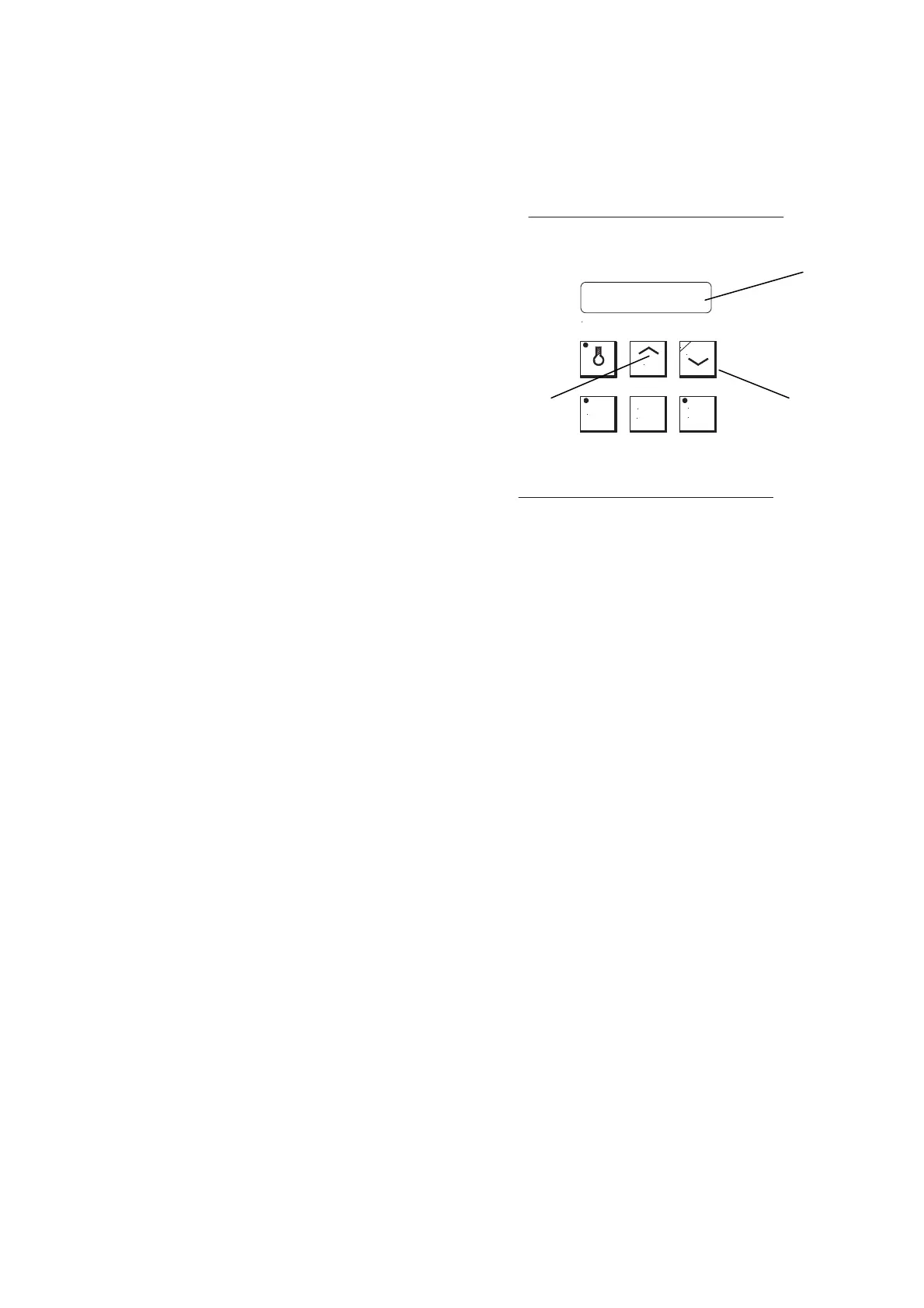
digital display (fig. 7.1). Briefly press the UP- or
DOWN-button (fig. 7.2 or 7.3), the set value of
the temperature in the microtome chamber is
shown for approx. 2 sec. Afterwards, the
display shows a
gain the actual value of the
temperature
of the microtome chamber. To
change the set value, press permanently the
UP-button (fig. 7.2) or DOWN-button (fig. 7.3).
The UP-button leads to higher, the DOWN-
button to lower temperatures.
The valid range of the set value goes from
+5°C down to -35°C. If the UP-button is used
beyond the limit of +5°C, the display shows
" - - -" and the temperature control is turned
off. Using the DOWN-button the cooling
system is turned on again.
Fig. 7
MEMO
CHAMBER TEMPERATURE ° C
DOWN
DEFR
TIME
INTER
RUPT
UP
P
1
3 2


 To Next Page