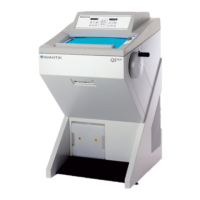
Avantik Cryostat QS11 / QS11UV
Avantik
36 Commerce St.
Springfield NJ 07081 / USA
387 779 - English
30
2-6 INDICATION OF CUTTING
PROCESSES
Information on the sectioning status can be
seen on the display (fig. 21.1). Press the scroll
button (fig. 21.2) to show the various functions
one after the other.
The following information on the present
sectioning position of the instrument can
alternatively be seen on the display:
- number of sections
(the yellow LED COUNT lights up)
- sum of section thicknesses
(the yellow LED SUM lights up)
- remaining travel to front end
position
(the yellow LED TRAVEL lights up)
For this, press the scroll button (fig. 21.2) until
the corresponding yellow LED lights up and
the desired information is shown on the
display.
2-6-1 SECTION COUNTER
The section counter adds
up the sections
prod
uced. After each downward movement of
the specimen holder, the number on the
section counter increases by 1. The counter
can be reset to zero by means of the RESET-
button (fig. 21.3).
2-6-2 SUM OF SECTION THICKNESSES
This value shows the sum in microns of the
sections already cut. Trimming values as well
as sectioning values are added up.
This value can also be reset to zero by means
of the RESET-button (fig. 21.3).
Fig. 21
COUNT
SUM
TRAVEL
1
2
3


 To Next Page