Avantik Cryostat QS11 / QS11UV
Avantik
36 Commerce St.
Springfield NJ 07081 / USA
387 779 - English
25
2-4-2 SETTING SECTION THICKNESS
AND TRIMMING THICKNESS
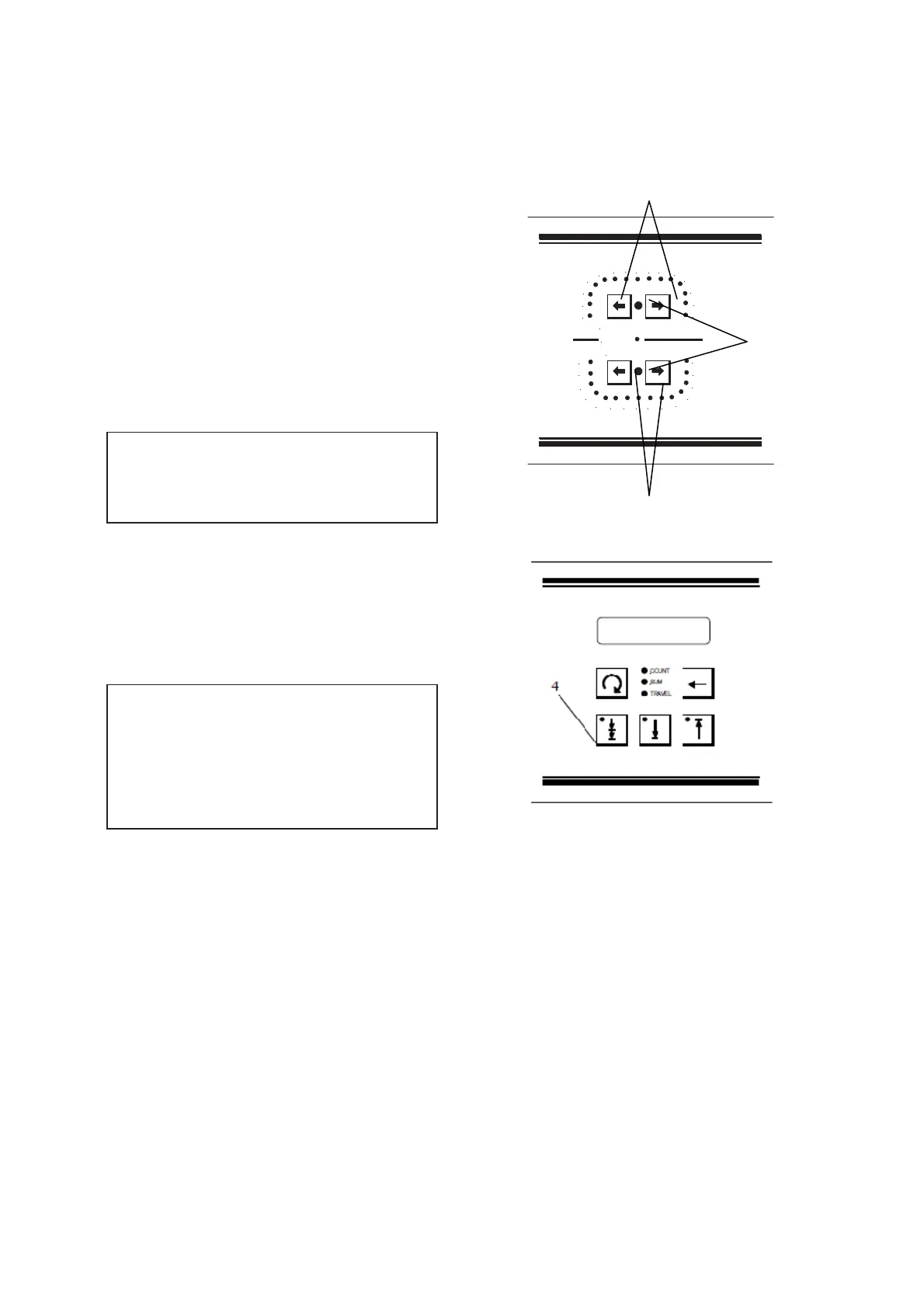
The desired section thickness can be selected
by means of the buttons (fig. 17.1) on the
operating controls and the trimming thickness
by means of the buttons (fig. 17.2). The two
left buttons lead to lower values and the two
right buttons to higher values.
The selected values are also indicated by the
corresponding illuminated LEDs.
The two orange LEDs (fig. 17.3) show which
section thickness mode is chosen.
The graduation of the section thicknesses
(which can be pre-selected) is divided into 2
ranges:
range graduation
from 1 µm to 10 µm 1 µm
from 10 µm to 20 µm 2 µm
Please push trimm button (fig. 17.4) longer
than 3 seconds to change from feed to trimm.
The graduation of the trimming thicknesses
(which can be pre-selected) is divided into 4
ranges:
range graduation
from 10 µm to 80 µm 10 µm
from 80 µm to 100 µm 20 µm
from 100 µm to 300 µm 50 µm
from 300 µm to 500 µm 100 µm
Fig. 17
1
2
3
4
5
6
7
8
9
10
SECTION THICKNESS µm
RETRACT
TRIM THICKNESS µm
12
14
16
18
20
10
20
30
40
50
60
70
80 100
150
200
300
400
500
250
1
3
2


 To Next Page