Avantik Cryostat QS11 / QS11UV
Avantik
36 Commerce St.
Springfield NJ 07081 / USA
387 779 - English
31
2-6-3 REMAINING TRAVEL TO FRONT
END POSITION
This value shows the distance, which is left for
sectioning.
If the specimen holder is in the rear end
position, the display shows 28 000 µm. This
number decreases, the closer the specimen
comes towards the front. If no further feed is
possible anymore, the display shows
automatically the remaining travel to the front
end position. Independently, which information
about the sectioning position was chosen
before.
2-6-4 SETTING THE REAL TIME
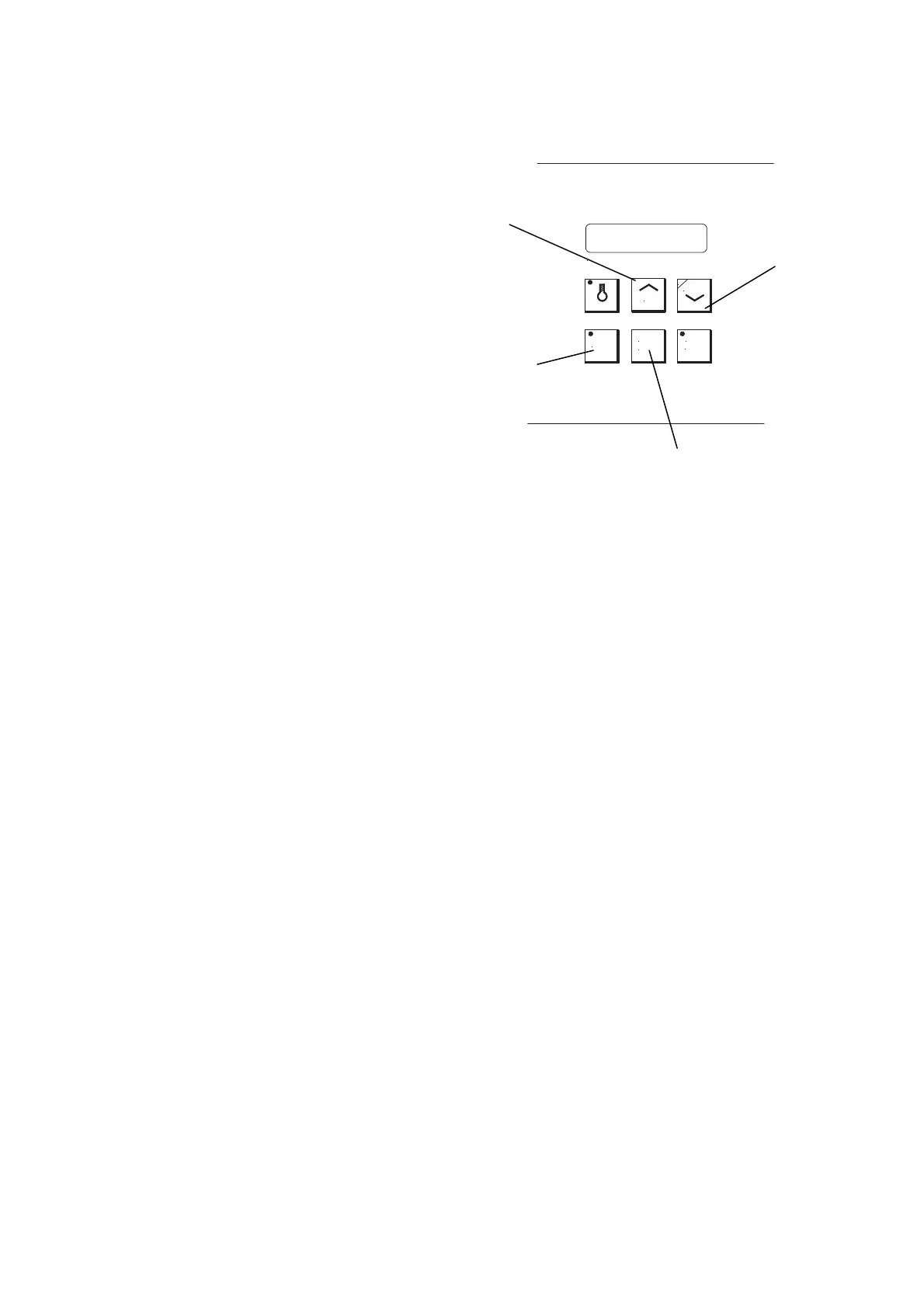
The real time can be read on the display if the
memo button (fig. 22.1) is pressed in addition
to the already pressed button DEFR TIME (fig.
22.2).
To correct the real time at interva
ls of one
minute,
additionally press the UP- or DOWN-
buttons (fig. 22.3 or 22.4).
Fig. 22
MEMO
CHAMBER TEMPERATURE ° C
DOWN
DEFR
TIME
INTER
RUPT
UP
P
3
4
1
2


 To Next Page