35146AJ
30
Local User Management
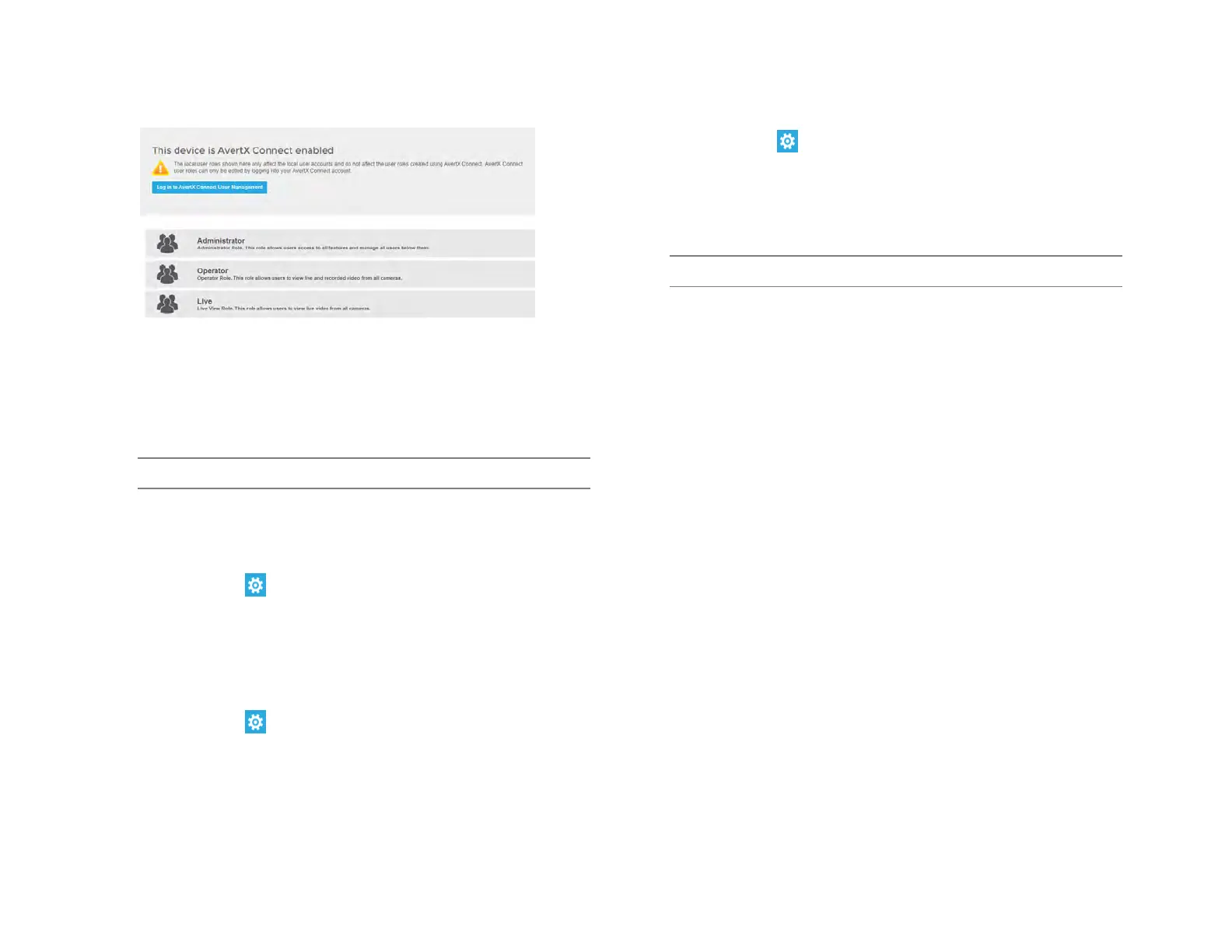
Local User Roles
The default User Roles include Administrator, Operator, and Live.
Custom roles can also be created.
Note Default roles cannot be modified
Add New Custom Role
Custom roles are user roles that have custom selected assigned
permissions.
1. Click Setup , and then click Settings.
2. Click Local User Roles.
3. Click Add Local Role.
4. Type the role Name and Description, and then use the Assigned
Permissions list to check the appropriate permission boxes.
5. Click Save.
Edit Existing Role
1. Click Setup , and then click Settings.
2. Click on the existing role you wish to edit.
3. Edit the Name, Description, and Assigned Permissions list as
necessary.
4. Click Apply, and then click Save.
Add Local System User
1. Click Setup , and then click Settings.
2. Click the Local Users tab.
3. Click Add Local System User.
4. Enter the appropriate user information, and then designate a
Username and Password.
5. Check the appropriate box to designate a user Role.
Note More than one user role can be selected.
6. Click Save.
Adding User Image
1. In Add Local System User, click Select, chose a file, and then
click Open.
2. Once the file is listed under the user image, click Upload.
3. Click Save to save your changes.


 To Next Page