3 — Operation
3 - 30 Service Instructions RP-A301CE/RP-A351CE/RP-A355CE
Manual operation
1. Rotate the product holder release
handle in a clockwise direction by
180.
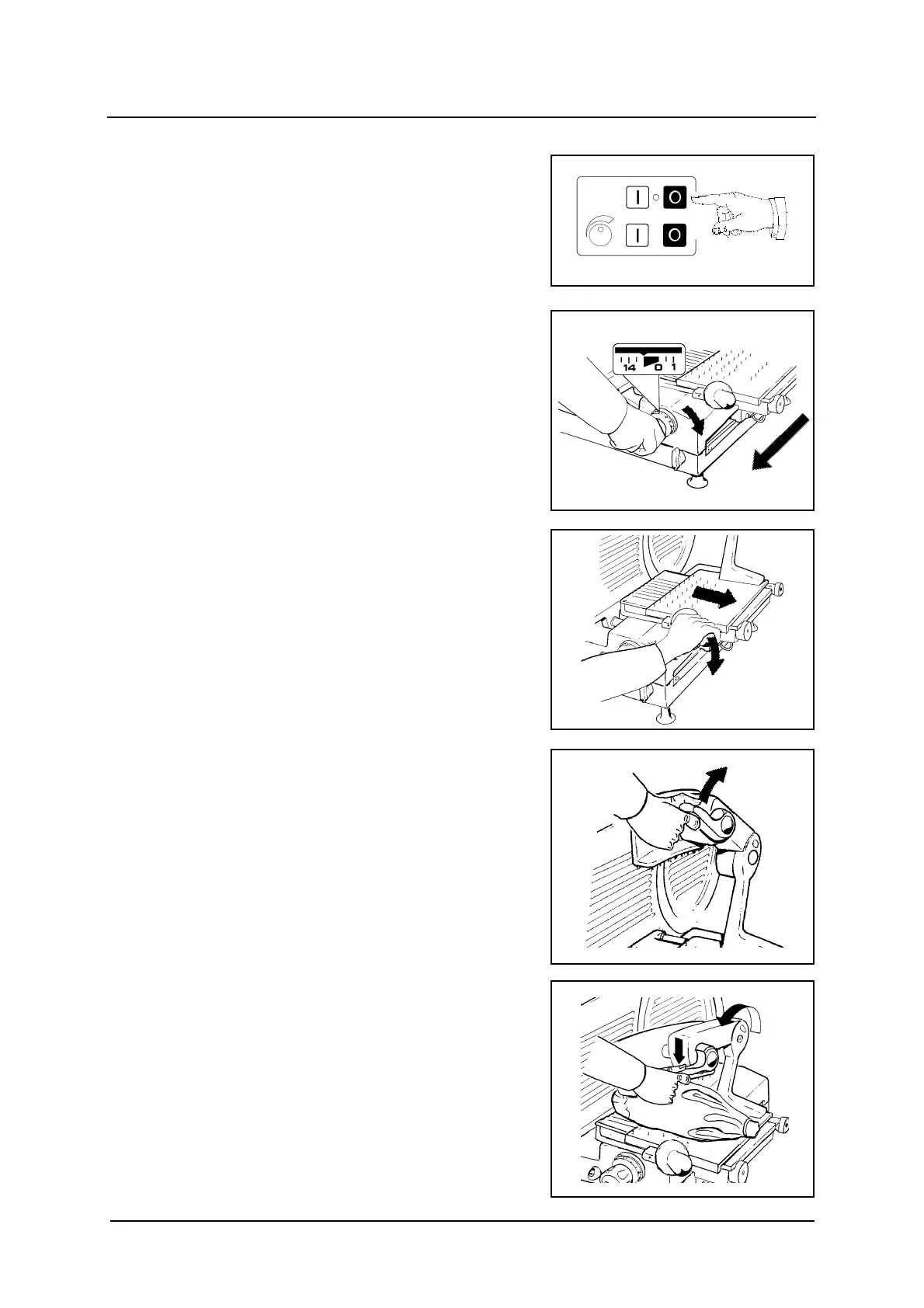
How to load the product to be cut
The load operations of the product to be
cut are the same for both manual and
automatic operation.
1. Check that the slicer is off and
position the slice thickness control to
zero.
2. Push the product holder towards the
operator.
3. Press the handle and move the feed
carriage away from the slice
thickness plate.
4. Raise the self-clamping pusher.
5. Place the product on the (clamped)
feed carriage, facing towards the slice
thickness plate.
6. Rotate the self-clamping pusher and
and press it onto the product to be
cut.



 To Next Page