7 — Appendices
7 - 24 Service Instructions RP-A301CE/RP-A351CE/RP-A355CE
Set up functions A351CE
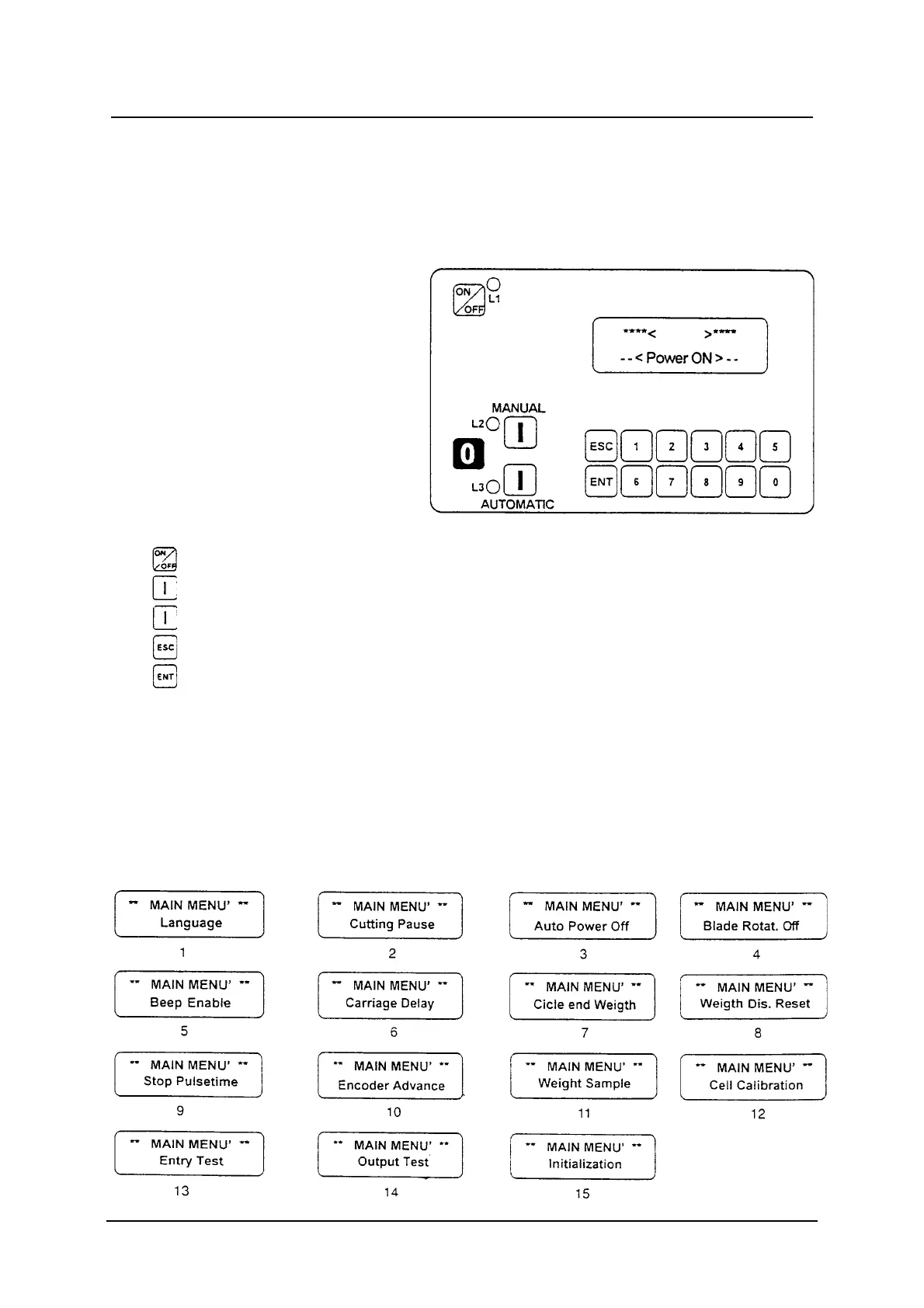
Control panel description
The set up functions allows to optimise the programmable portioner working.
When the programmable portioner is off press the ESC button to enter the
programming. Pressing the MANUAL button it is possible to select forward;
pressing the AUTOMATIC button will appear progressively the following
visualisations:
Start / Stop
MANUAL: Allows a progressive forward selection of the calibration functions
AUTOMATIC: Allows a progressive backward selection of the calibration functions
Button to enter and to exit the MAIN MENU
Button to load data during the programming.
L1: External voltage signalling led
0-9: Numeric buttons



 To Next Page