7 — Appendices
Service Instructions RP-A301CE/RP-A351CE/RP-A355CE 7 - 25
Set up menu
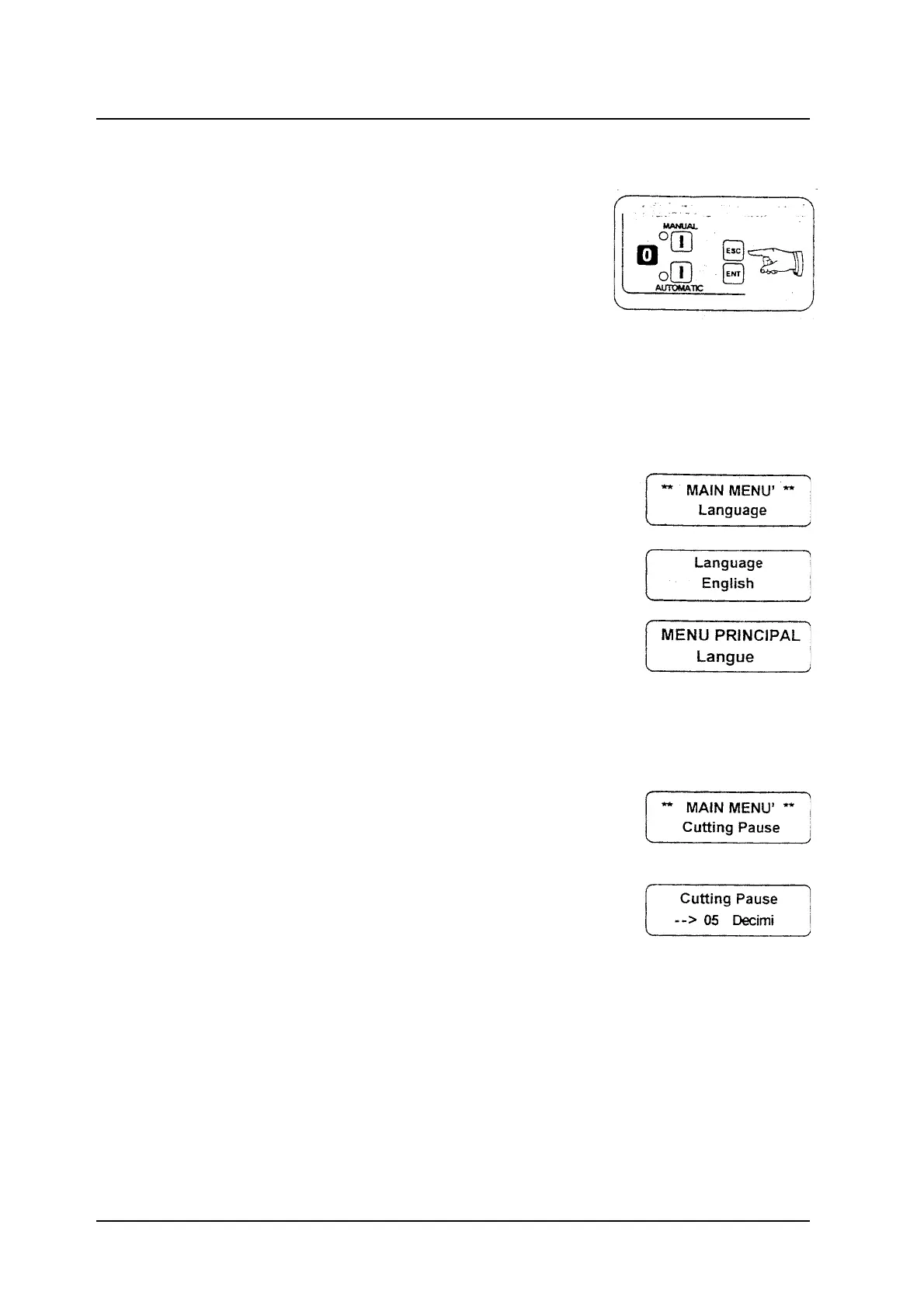
To enter the MAIN MENU when the
programmable portioner is off, press the ESC
button.
The Language message, will be visualised.
To select the functions in a cyclic way press the
MANUAL and AUTOMATIC buttons.
After programming, press the ESC button for a
few seconds to go back to the normal working.
Language
This function allows to change the language of
the different messages.
Pressing the ENT button it is possible to enter the
language selection.
Pressing the MANUAL button the writings
ltaliano, English, Deutsch, Francais, Espanol will
be visualised on the display one after the other.
To confirm the set up language, press the ENT
button, e.g. if the chosen language is French the
Langue message will be visualised.
Cutting Pause
The cutting pause function delays the cutting of
the following slice of product; in this way it is
easier to put the slice on the proper slice
receiving tray.
25 tenth of a second is the max. programmable
time.
Press the ENT button to visualise the Cutting
Pause message; use the numeric buttons to set
up the datum and press ENT to confirm.



 To Next Page