7 — Appendices
7 - 26 Service Instructions RP-A301CE/RP-A351CE/RP-A355CE
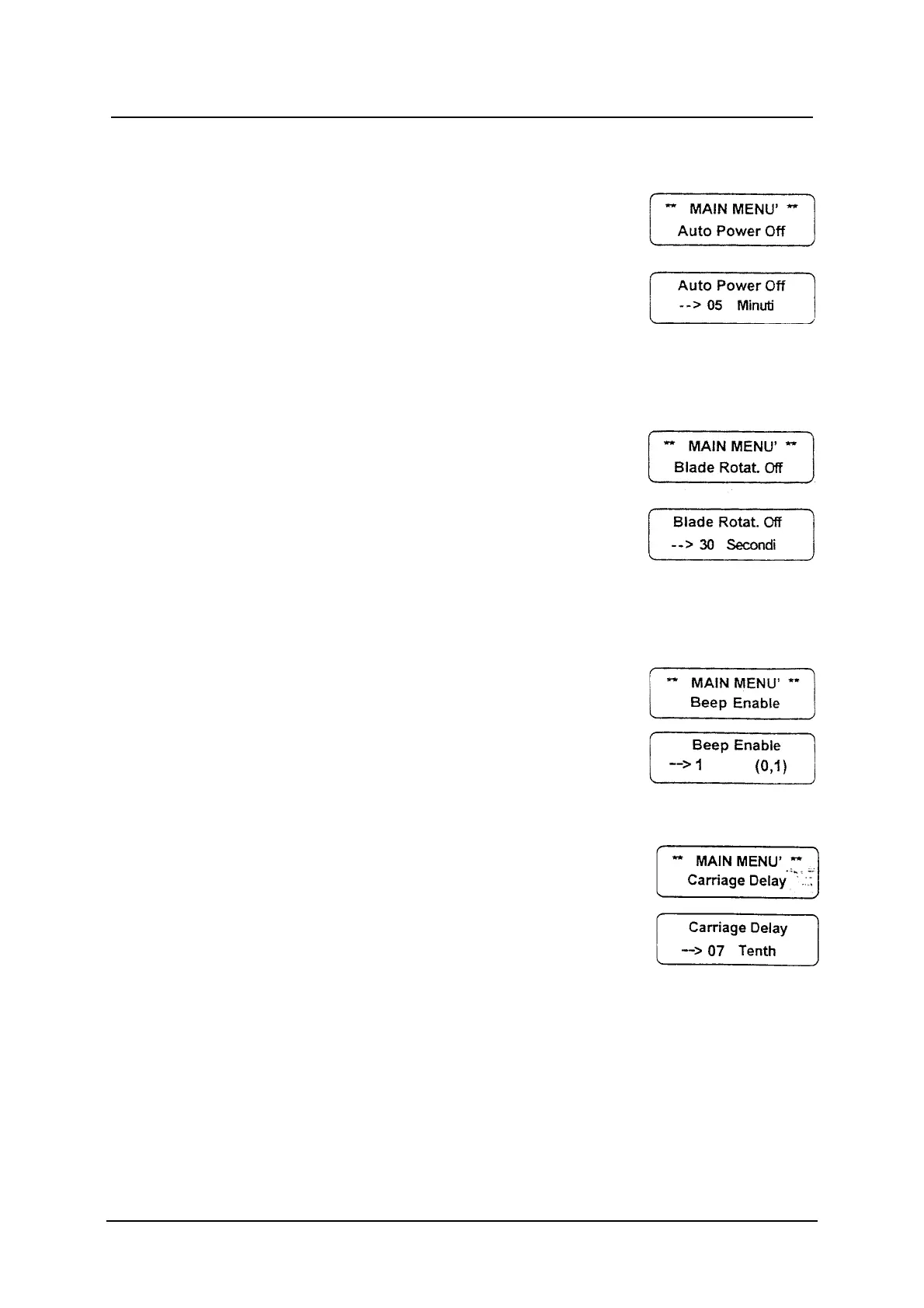
Auto Power Off
Auto power off: if the machine is not used for a time
which is longer than the fixed one, it stops
automatically.
99 minutes is the max. programmable time.
Press the ENT button to visualise the Auto Power
Off message; use the numeric buttons to set up
the datum and press ENT confirm.
Blade Rotation Off
Blade Rotation off: if the product holder is not used
for a time which is longer than the fixed one, the
machine stops automatically
99 seconds is the max programmable time.
Press the ENT button to visualise the Blade Rotat.
Off message; use the numeric buttons to set up
the datum and press ENT to confirm.
Beep Activation
Beep Activation: the buzzer sound on
(value =1) / off (value=0).
Press the ENT button to visualise the Beep Enable
message; set up the datum and press ENT to
confirm.
Feed Carriage Delay
Feed carriage delay: it is the time between the
blade starting and the product holder starting. This
allows the blade to achieve the right revolution
number before cutting.
Press the ENT button to visualise the Carriage
Delay message; use the numeric buttons to set up
the datum (max. 25) and press ENT to confirm.



 To Next Page