7 — Appendices
Service Instructions RP-A301CE/RP-A351CE/RP-A355CE 7 - 27
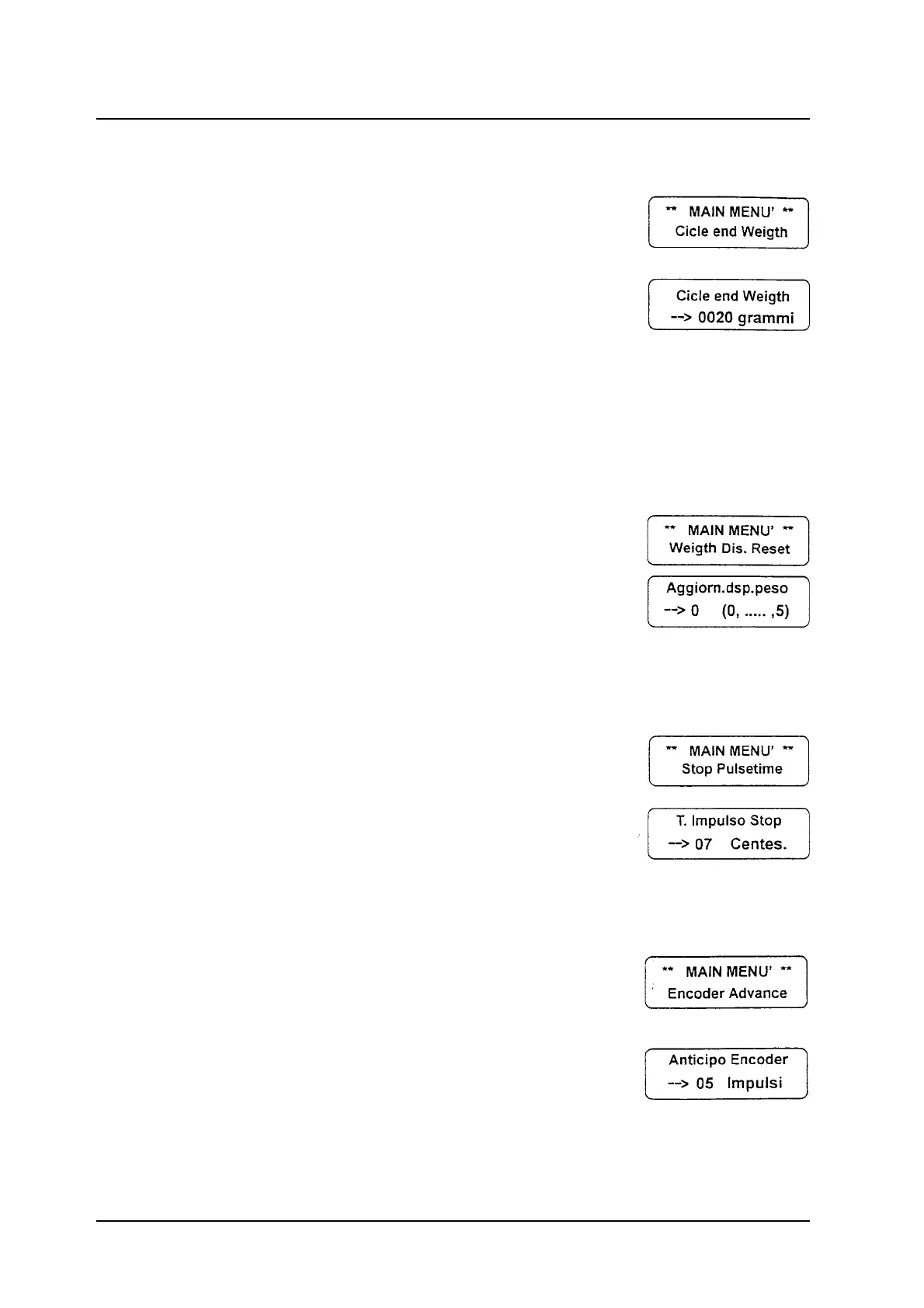
End Cycle Weight
End cycle weight: working in a cycling way, the
product holder is considered empty if the weight
of the product set on it is under the fixed weight.
When the weight of the product placed on the
product holder is over the fixed one, the machine
stops; the cycle starts again only if the product is
taken away.
Press the ENT button to visualise the Cycle End
Weight message; use the numeric buttons to set
up the datum (max. 1000 gr) and press ENT to
confirm.
Weight Display Updating
Weight display updating: it is the updating time
which passes between one reading and the
other.
Press the ENT button to visualise the Weight
Display Updating message; use the numeric
buttons to set up the datum (max. 5) and press
ENT to confirm.
Stop Impulse Time
Stop impulse time: it is the stop counter impulse
time of the slice receiving tray. It must be adjusted
according to the feed carriage mass and inertia.
Press the ENT button to visualise the Stop
Impulse Time message; use the numeric buttons
to set up the datum (max. 25") and press ENT to
confirm.
Encoder Anticipation
Encoder Anticipation: it allows to reverse the slice
receiving tray while it is coming back, in order to
obtain the same cutting length as the fixed one.
The adjustment must be done according to the
feed carriage mass and inertia.
Press the ENT button to visualise the Encoder
Anticipation message; use the numeric buttons
to set up the datum (max. 25 impulses) and press
ENT to confirm.



 To Next Page