Using a Web Browser2-13
Reset/Initialize Network
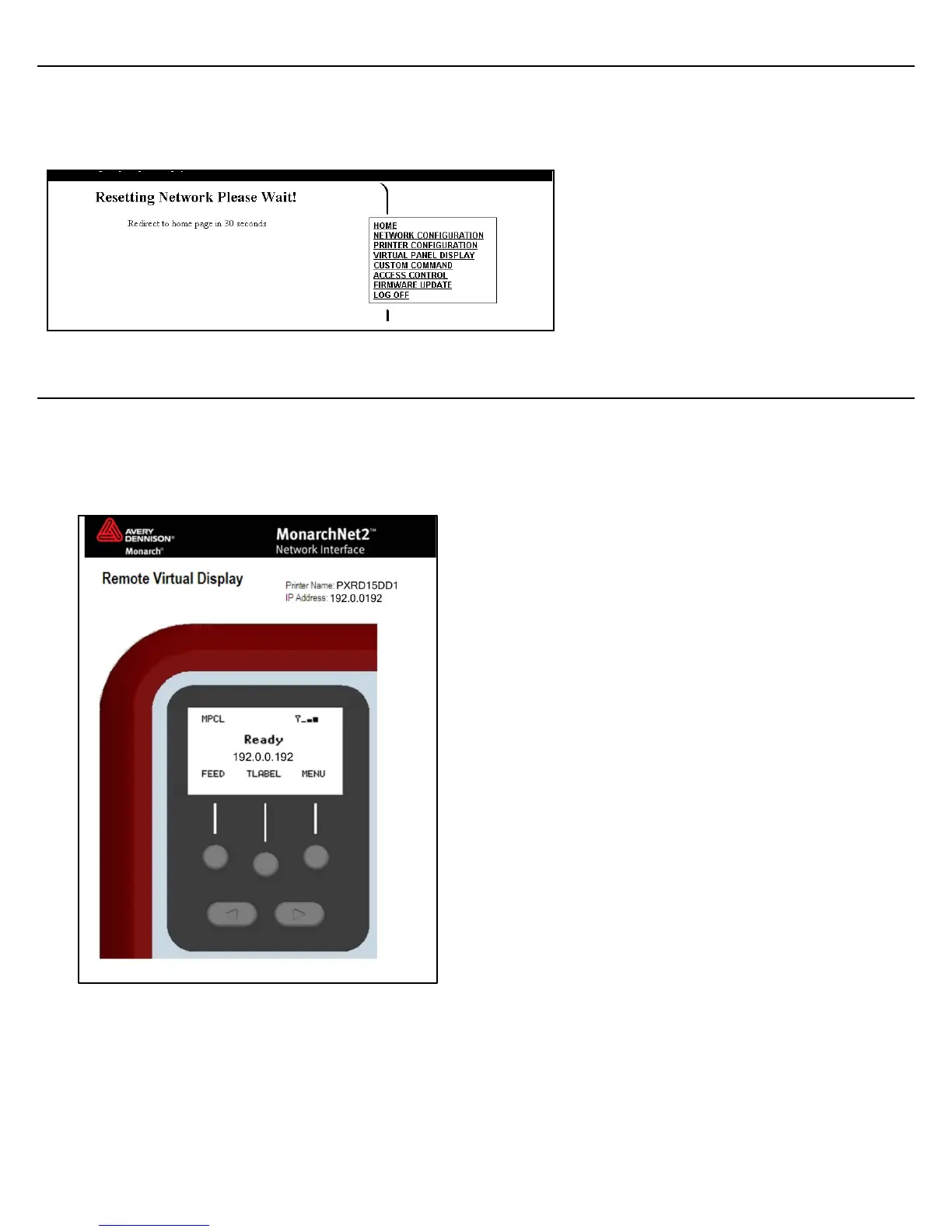
Click Save/Re-init Network (on the Protocols tab) to reset and initialize the network interface.
Any changes made on previous screens do not take effect until you click Reset Network.
This process takes a few minutes for the printer to respond with the new settings.
Reading the Virtual Panel
The virtual panel operates just like the printer’s control panel. You can use the virtual panel to
clear errors, feed labels, and more.
1. From the side Menu Bar, click Virtual Panel Display.
2. The current status of the printer appears on the virtual panel’s display.
3. If there is an error, click Escape/Clear to clear the error. If you want to feed a label, click
Feed/Cut.



 To Next Page