Using a Web Browser2-15
Changing the Password
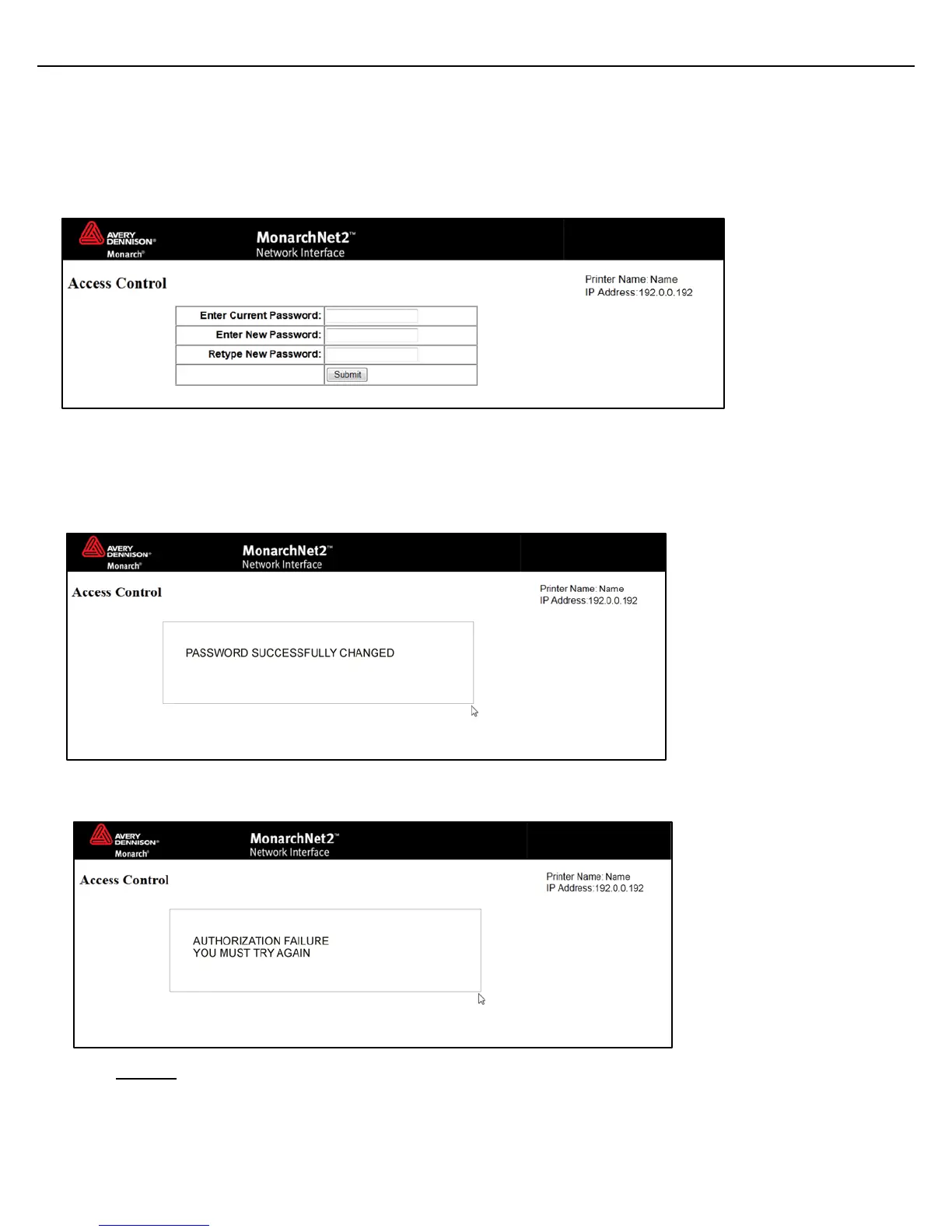
You can change the access password for MonarchNet2. This should only be done by your System
Administrator. The default is access.
The password is case-sensitive and saved in the printer’s flash memory.
Note: Make a note of the password if you change it. Changing the password also restricts access
to Telnet sessions.
1. From the side Menu Bar, click Access Control.
2. Enter the Current Password.
3. Enter the New Password.
4. Retype the New Password to confirm it.
5. Press Submit when finished.
If you change the password and attempt to log in using the old password, this message
appears. It also appears for various error conditions when configuring the printer.
6. Click LOGIN to login using the correct password and correct the problem.



 To Next Page