Using a Web Browser2-11
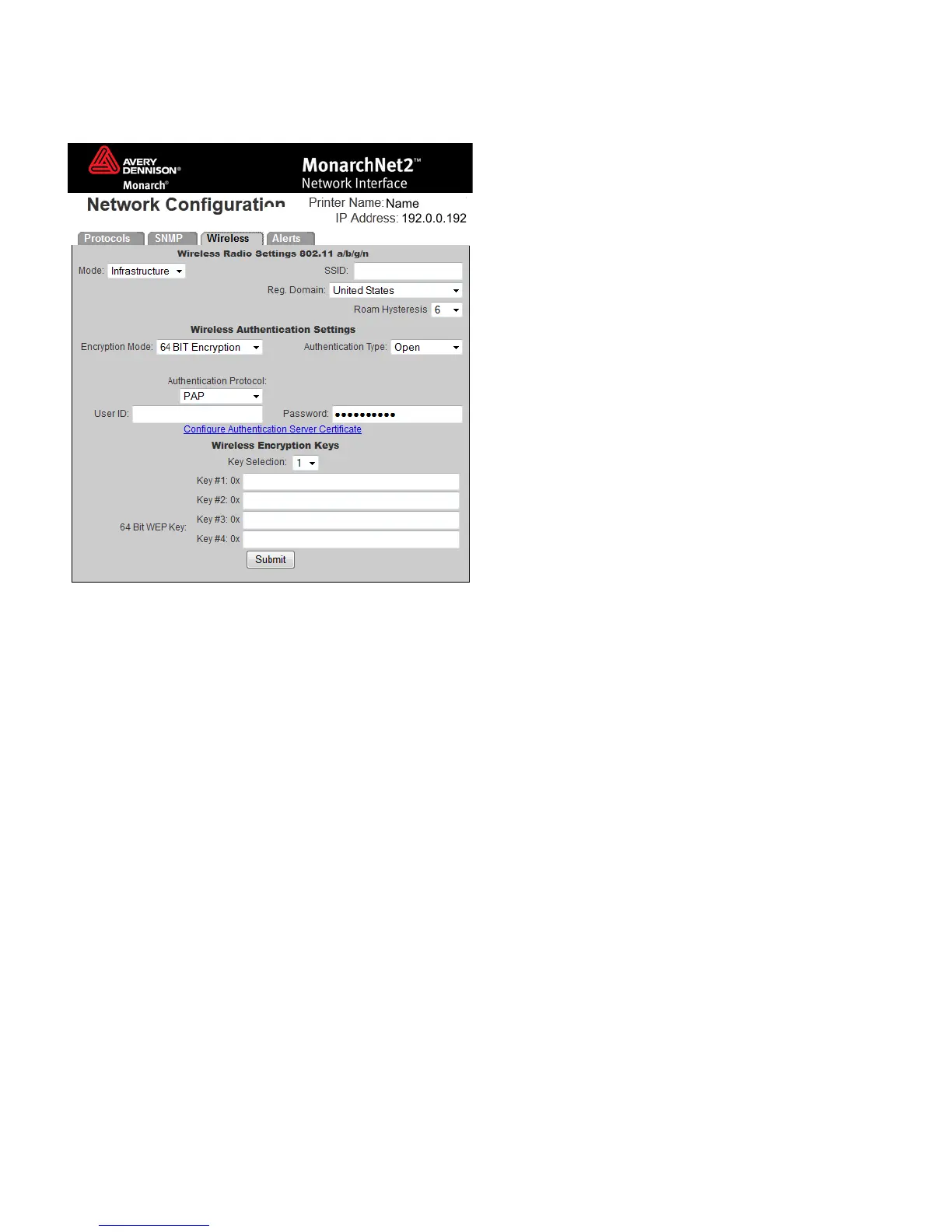
Using WEP
If you select 64 BIT Encryption or 128 BIT Encryption, you need to enter the WEP keys.
1. Determine which Key Selection to use: 1-4.
2. Set the WEP Key values. You must use the same key values for devices to communicate with
each other on the network.
Note: As you enter the values for the WEP keys, you can see the characters. However, the next
time you view this tab, the values are displayed as asterisks (*).
3. Click Submit when finished.
4. Click the Protocols tab.
5. Click Save Re-init Network (on the Protocols tab) before any changes take affect. Even
though you submitted your changes on the previous screen, they do not take affect until you
click Save Re-init Network. This process takes a few minutes.



 To Next Page