Chapter 4: Configuring Pro Tools | HD I/O in Pro Tools | HD Software 27
With Soft Clip enabled, HD I/O supports an addi-
tional 4 dB of headroom by rounding off the top
4 dB to the clip point. This is useful for eliminating
stray transients.
Curv
Attenuates the incoming analog signal using
a soft knee limiter circuit. This guarantees super
soft limiting without becoming hard, even with
large overloads on input.
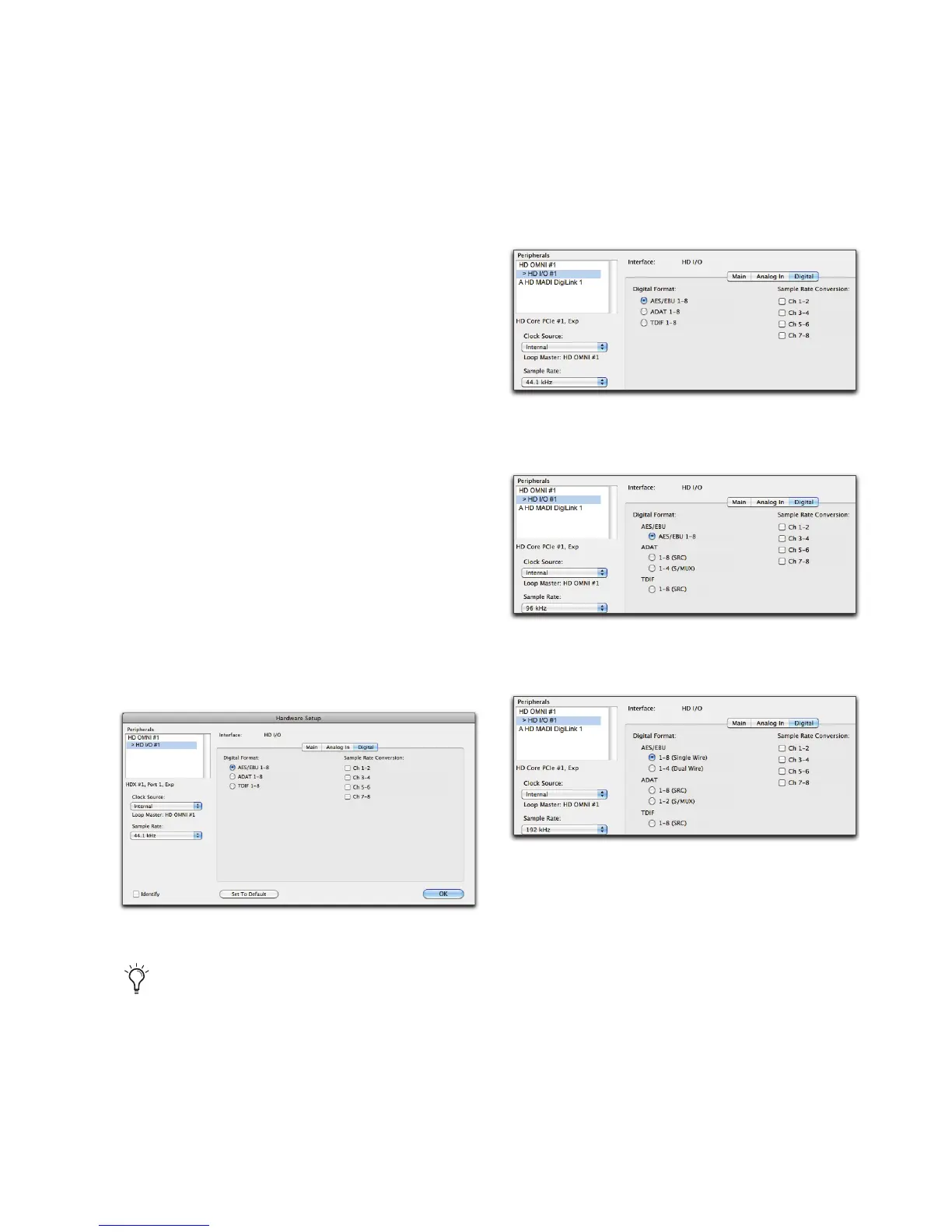
Digital Page
The Digital page of the Hardware Setup dialog lets
you set the
Input Format
and
Sample Rate Conver-
sion
for any Digital I/O cards installed in HD I/O.
If you have only a single Digital I/O card installed,
a single
Digital
tab is available. If you have two HD
I/O Digital Expansion cards installed, the tabs
Dig-
ital 1–8
and
Digital 9–16
are available. The
Digital
(one Digital card), or the
Digital 1–8
and
Digital
9–16
(two Digital cards) pages all provide the
same controls for the corresponding physical in-
puts on the HD I/O Digital card. If no HD I/O Dig-
ital Expansion card is installed, these tabs are not
available.
Digital Format
Select from the following digital formats for the
HD I/O Digital card. Depending on the sample
rate, different Digital Format options are available.
HD I/O Hardware Setup, Digital page
At session sample rates above 48 kHz, sample
rate conversion for the TDIF and Optical
(ADAT) inputs on the HD I/O Digital card is
automatically enabled on all eight inputs of
the selected format—unless you are using
Optical (ADAT S/MUX).
HD I/O Hardware Setup, Digital Format options at
44.1 kHz
HD I/O Hardware Setup, Digital Format options at
96 kHz
HD I/O Hardware Setup, Digital Format options at
192 kHz



 To Next Page