Pro Tools | HD I/O Guide26
Ext. Clock Output
If you want to send clock output to other devices
attached to HD I/O, select the appropriate output
from the
Ext. Clock Output
pop-up menu.
The available options for
Ext. Clock Output
change
depending on the session sample rate. See the table
below for a list of default external clock settings
and available options.
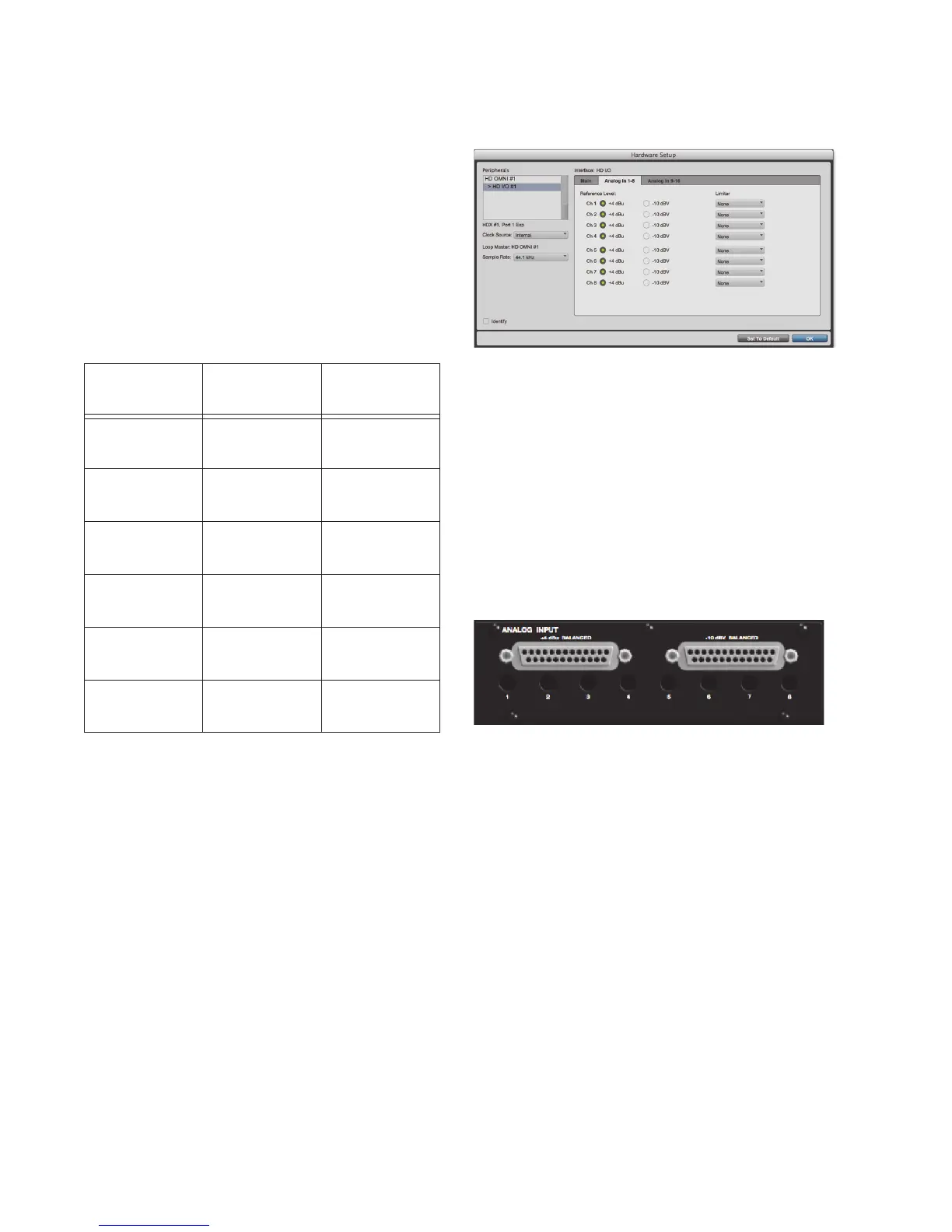
Analog In Page
The Analog In page of the Hardware Setup dialog
lets you set the Reference Level for the physical
analog inputs on HD I/O. You can also apply a lim-
iter to each of the available analog inputs.
If you have only a single HD I/O AD Expansion
card installed, a single
Analog In
tab is available. If
you have two HD I/O AD Expansion cards in-
stalled, the tabs
Analog 1–8
and
Analog 9–16
are
available. The
Analog In
, and
Analog 1–8
and
Ana-
log 9–16
pages provide the same controls for the
corresponding physical inputs on the HD I/O AD
card. If no HD I/O AD Expansion card is installed,
these tabs are not available.
Reference Level
Select the appropriate
Reference Level
for each of
the available analog input channels. This lets you
select the analog audio input source on a channel-
by-channel basis. The
+4 dBu
option routes audio
from the physical +4 dBu Balanced DB-25 Analog
Input port on the card. The
–10 dBV
option routes
audio from the physical –10 dBV Balanced DB-25
Analog Input port on the card.
Limiter
HD I/O provides options for soft limiting on each
of the available analog input channels. Select the
desired option from the corresponding
Limiter
pop-
up menu:
None
Applies no limiting to the incoming analog
signal.
Soft Clip
Attenuates the incoming analog signal,
providing extra protection from temporary clip-
ping transients that can cause digital distortion
when they exceed the maximum input of the unit.
Ext. Clock Output options by sample rate
Sample Rate
Available Ext.
Clock Default
Available Ext.
Clock Option
44.1 kHz Word Clock
(44.1 kHz)
N/A
48 kHz Word Clock
(48 kHz)
N/A
88.2 kHz Word Clock
(88.2 kHz)
Word Clock
(44.1 kHz)
96 kHz Word Clock
(96 kHz)
Word Clock
(48 kHz)
176.4 kHz Word Clock
(176.4 kHz)
Word Clock
(44.1 kHz)
192 kHz Word Clock
(192 kHz)
Word Clock
(48 kHz)
Hardware Setup, Analog In page
+4 dBu and –10 dBV DB-25 Analog Input ports



 To Next Page