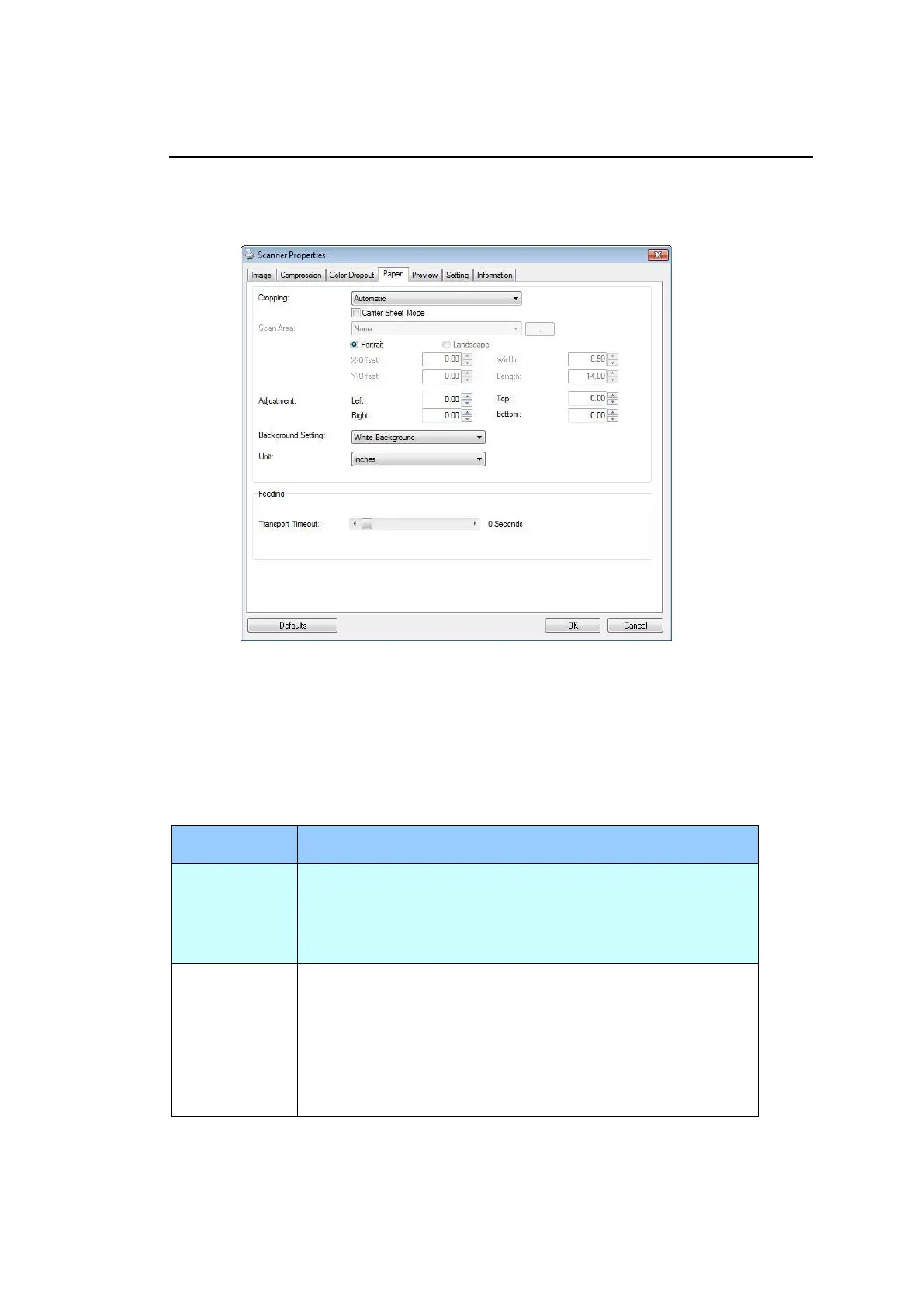
The Paper Tab
The Paper tab allows you to define values relating to image output (i.e., Auto Crop
or not, Scan Area, OverScan, Multi-Feed Detection).
The Paper tab dialog box
Cropping
Cropping allows you to capture a portion of the document being scanned.
Choice: Automatic, Automatic (36”), Fixed to Transport, EOP (End of
Page) Detection, Automatic Multiple, Relative to Documents.
Automatic adjusts the cropping window according to
different document sizes and automatically straighten a
skewed document. Use this option for batches of
mixed-sized documents.
Automatically adjusts the cropping window according to
different document sizes smaller than 36” and
automatically straighten a skewed image. Use this
option for batches of mixed-sized document.
Note: The availability of this feature varies due to
the scanner model.



 To Next Page