Selecting Your Language
The product provides various languages on the LCD Touch Panel. Choose your
desired language to be displayed on the LCD Touch Panel.
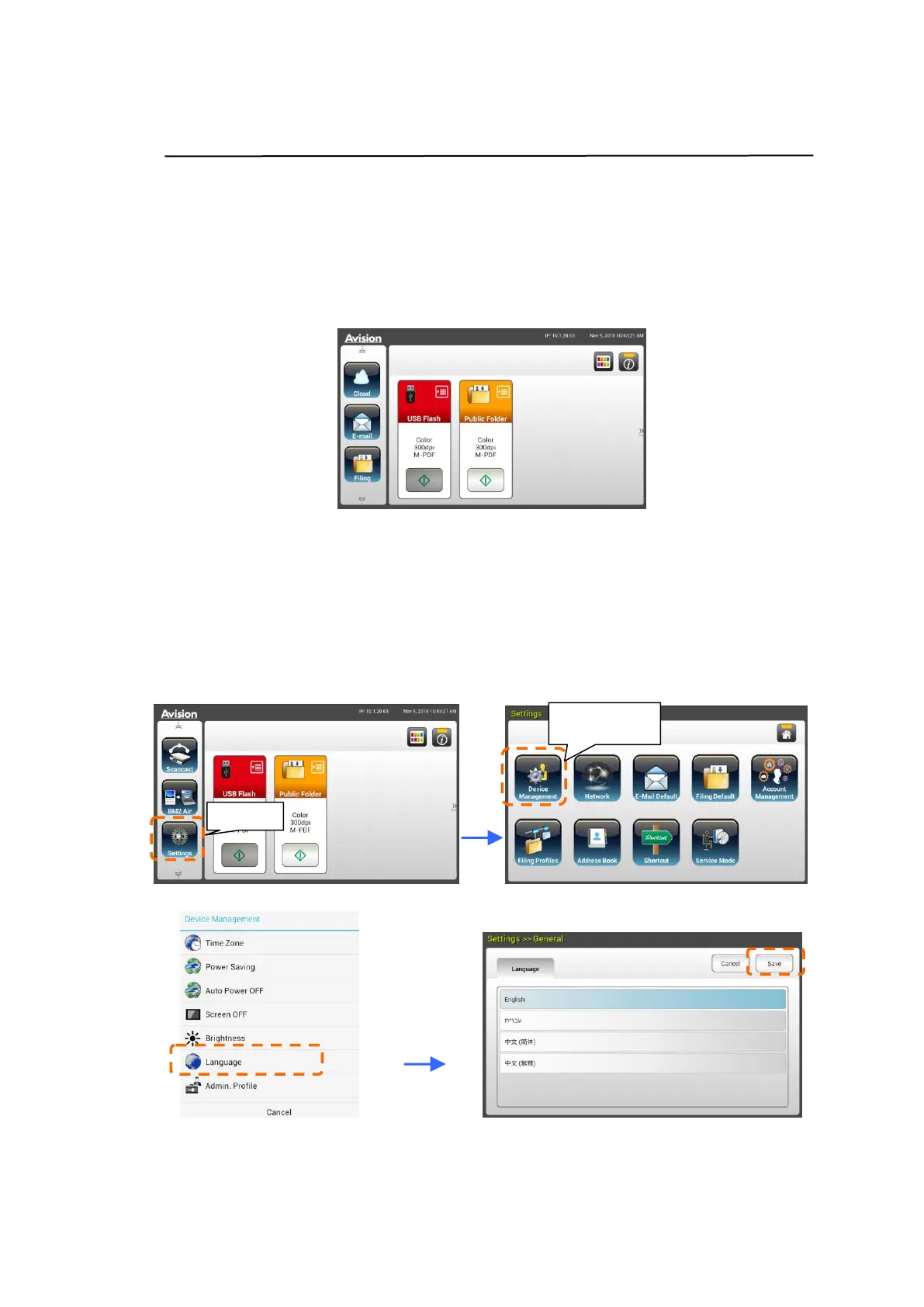
1. Press the [Power] button to turn on the product. The LCD Touch Panel will
be prompted with a Home Screen as indicated.
2. On the LCD Touch Panel, tap [Settings]> [Device Management]
>[Language] in succession and then choose your desired language.
Choice : English, Chinese Traditional, Chinese Simplified, Spanish,
Portuguese, Hebrew.
Note: Login to Settings with the default credentials Login Name: admin
and Password: admin.
3. Tap [Save] to save the setting.



 To Next Page