Specifying the Product’s Mail Server
To send the scanned image to a recipient via E-mail, you need first specify your
mail server information on the product. Follow these steps to set your mail
server:
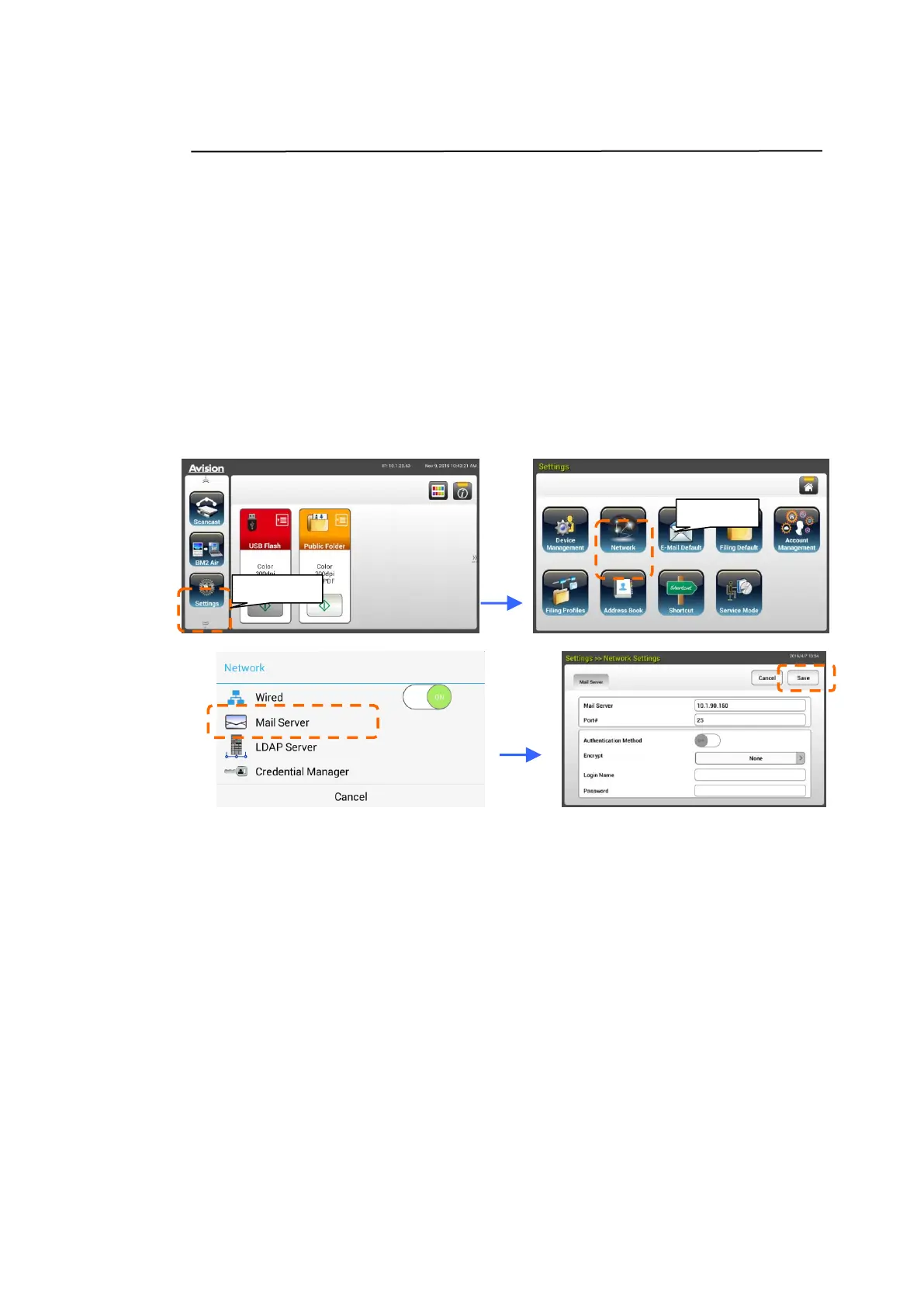
1. On the Home Screen of the LCD Touch Panel, tap
[Settings]>[Network]>[Mail Server] in succession and then set your
mail server information.
Note: Login to Settings with the default credentials Login Name: admin
and Password: admin.
On the Mail server option, enter the IP address and port number of your
mail server.
- On the Authentication Method option, tap [ON] to enable it or [OFF]
to disable it.
- Tap anywhere respectively on the Login Name/Password/Mail
Server/ Port# field to bring up the soft keyboard and then enter the
relevant values.
2. Tap [Save] to save the setting and leave the screen.



 To Next Page