EasyManua.ls Logo

Avision AN360 - Page 150

Avision AN360
186 pages
Print Icon
To Next Page IconTo Next Page
To Previous Page IconTo Previous Page
Loading...
145
Advanced
Font Attributes
Choose your font attributes. Choice: Normal,
Underline, Double, and Bold.
String
Orientation
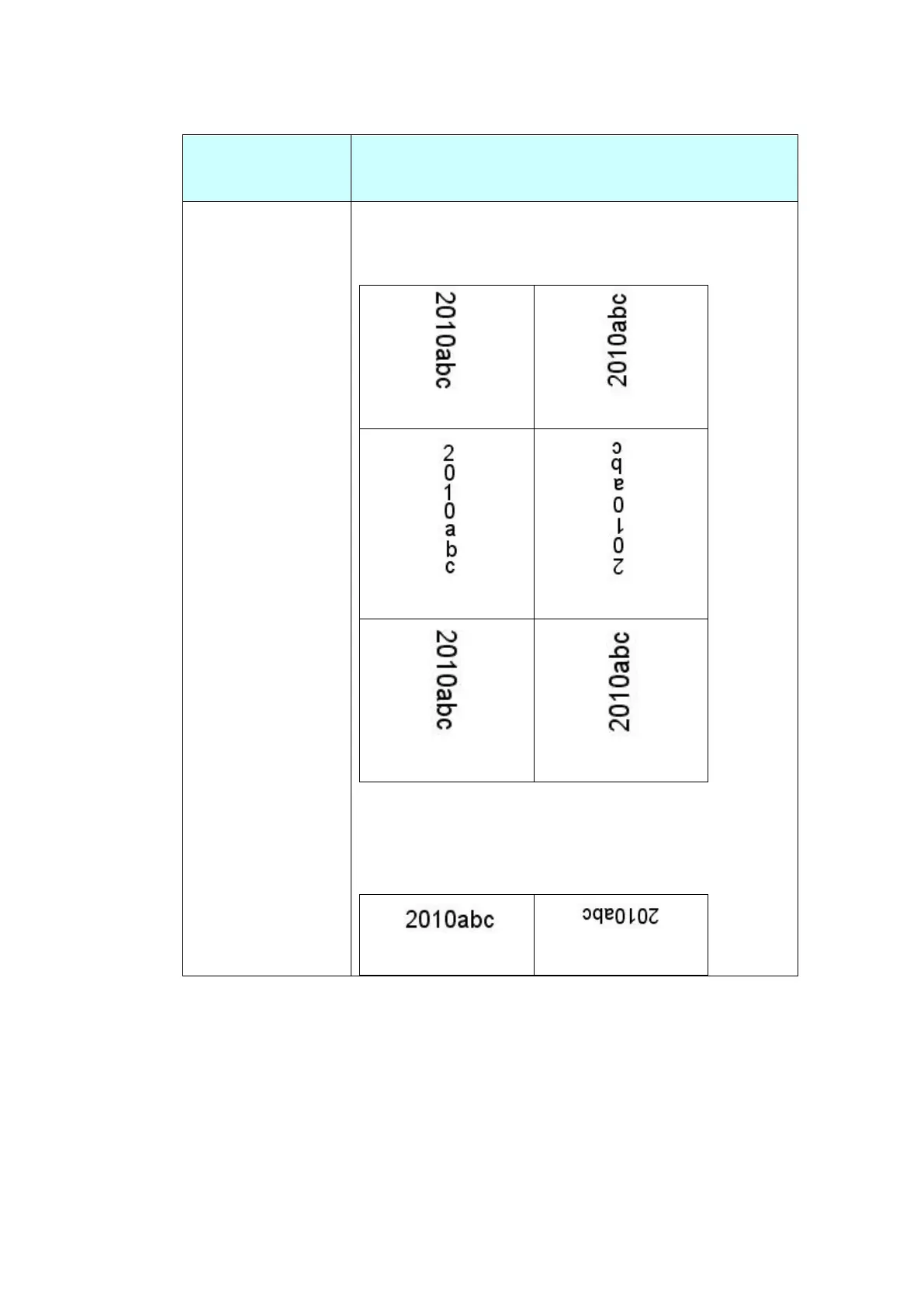
Choose your string orientation.
Choice: Normal, Rotated, Vertical, Vertical
Inversion, 90 degrees CW, 90 degrees CCW
Normal
Rotated
Vertical
Vertical Inversion
90 degrees CW
90 degrees CCW
If you check the digital imprinter to stamp text on
your scanned image, the illustration of normal and
rotated string is shown below:

Normal
Rotated

Table of Contents

Other manuals for Avision AN360

Related product manuals