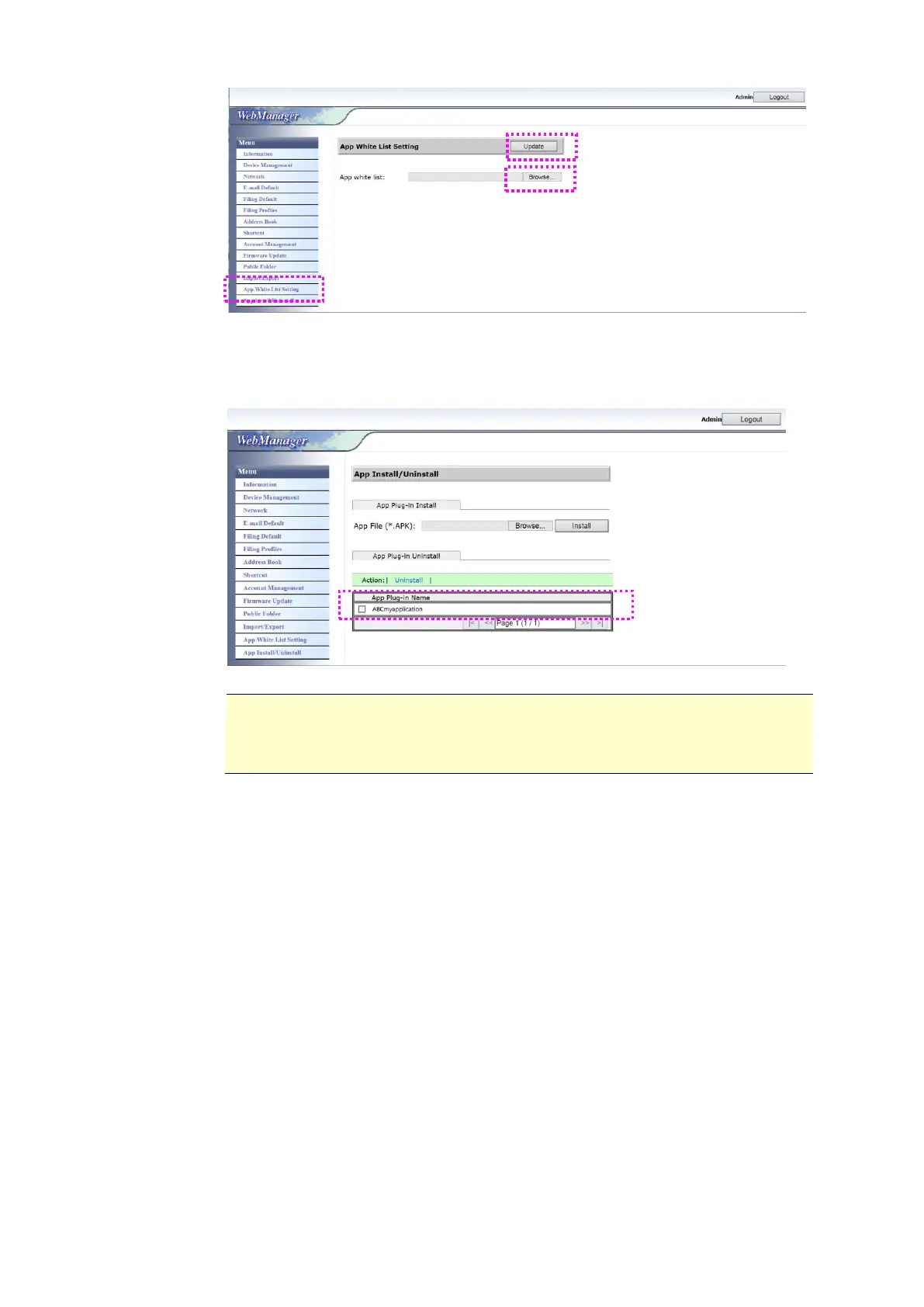
6. Tap [App Install/Uninstall] from the Menu option and then browse the
installation file of your app and then tap [Install]. If successful, the new
plug-in app will be displayed in the app list in below.
Note:
If you wish to uninstall the plug-in app, simply select the app name from
the list and then tap [Uninstall]. The plug-in app will be uninstalled
accordingly.
How to run the plug-in app on the product:
1. Install the plug-in app according to the steps described in the preceding
section.
2. On the product’s touch panel, tap [Settings]> [Device Management] >
[Function Lock] in succession. Make sure the [App plug-in] is turned
ON.



 To Next Page