Setting Up Your Filing Profiles
The section provides procedure on how to setup your Filing Profiles to send your
scanned document to a specified network folder. The Filing Profiles can be setup
and managed either through the LCD Touch Panel or the product’s embedded
web page.
Adding a new Filing Profiles
To create a Filing Profiles, follow these steps:
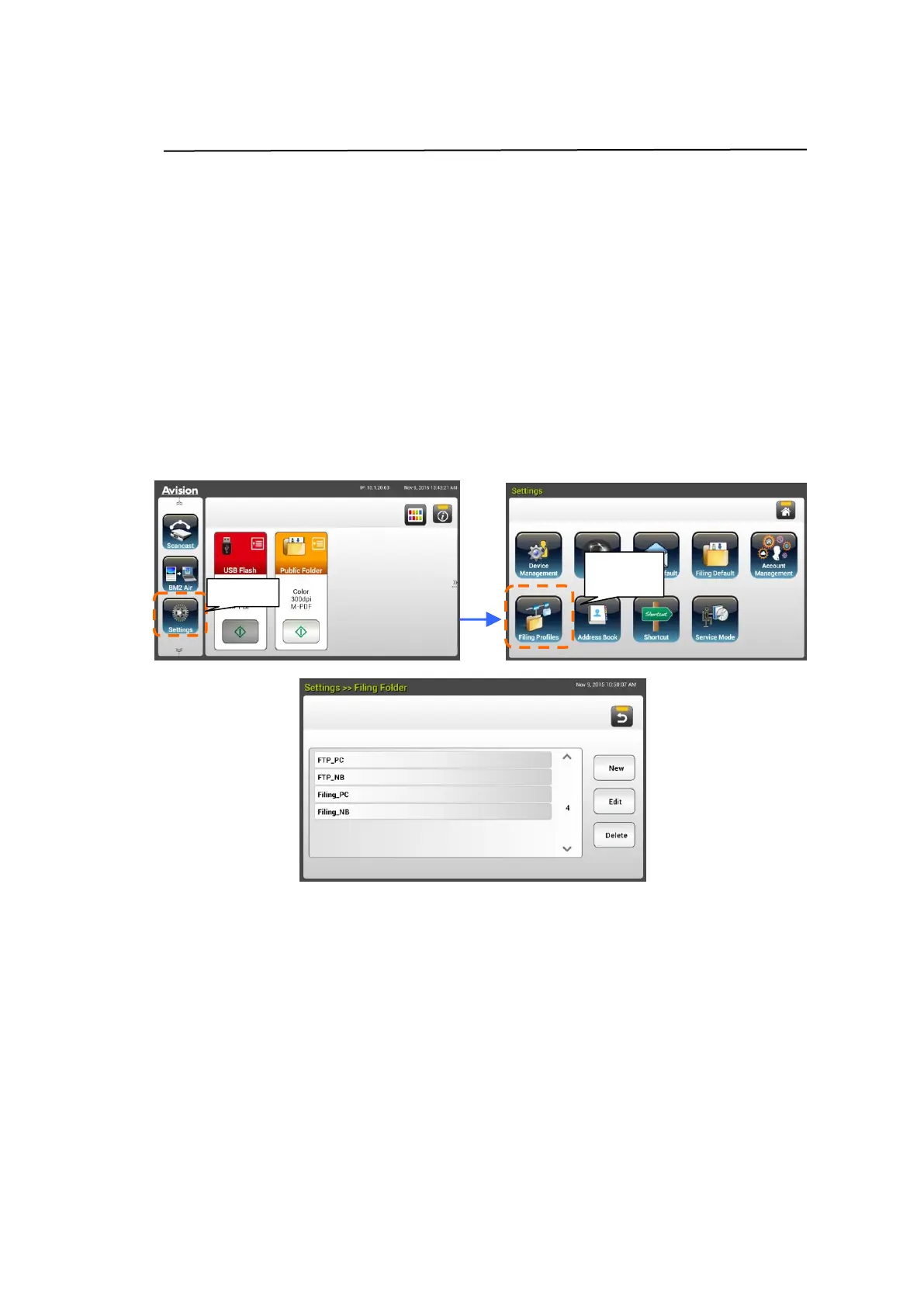
1. On the Home screen of the LCD Touch Panel, select [Settings]>[Filing
Profiles] in succession. The Filing Profiles screen will be displayed.
2. Tap [New] to prompt the [New Filing Profiles] page.
3. Enter your Filing Profiles information. Refer to the preceding section,
Creating Your Filing Profile (page 19), on how to enter your folder
information.
4. Tap [Save] to save your setting or [Cancel] to leave the screen without
saving these settings.



 To Next Page