ScanCopier
8-12
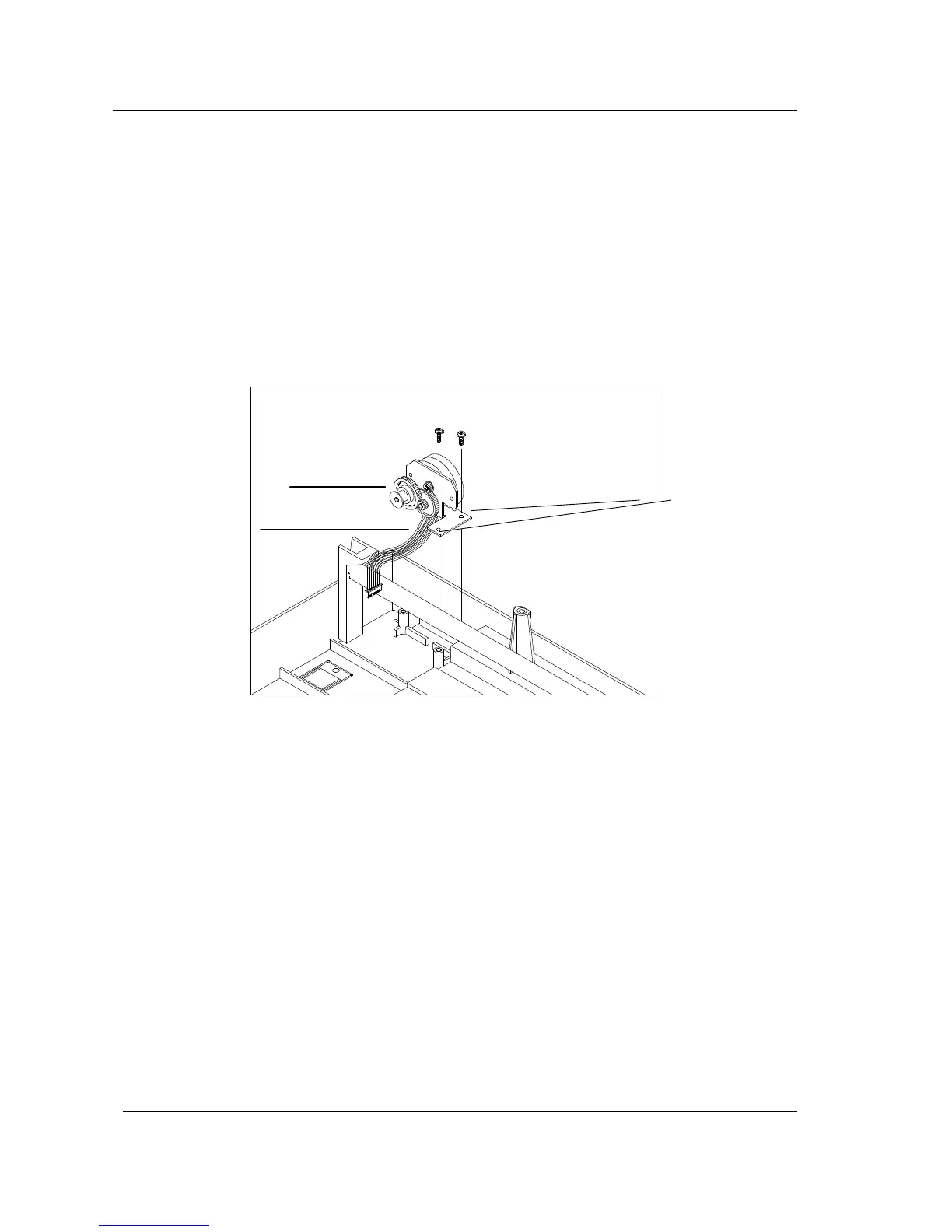
8.3.9 MOTOR UNIT
(1) Remove upper housing. (See section 8.3.3)
(2) Remove the optical chassis and the CCFL inverter PCBA. (See section 8.3.4 and 8.3.7)
(3) Remove the lamp assembly by loosing the fixing screws. (See section 8.3.8)
(4) Loosen the fixing screws as shown in the figure below.
(5) Remove the motor cable connector.
Figure 8.9 Motor unit removal
Motor unit
Motor cable
Fixing
Screws



 To Next Page