PAGE 23
Putting into Operation
3.5.2 ISDN operating mode
In contrast to the analogue POTS operating mode, in the ISDN operating
mode two independent telephone hybrids are available.
A handset or a headset can be connected for Pre Talk. Using an analogue tel-
ephone is not possible in this operating mode.
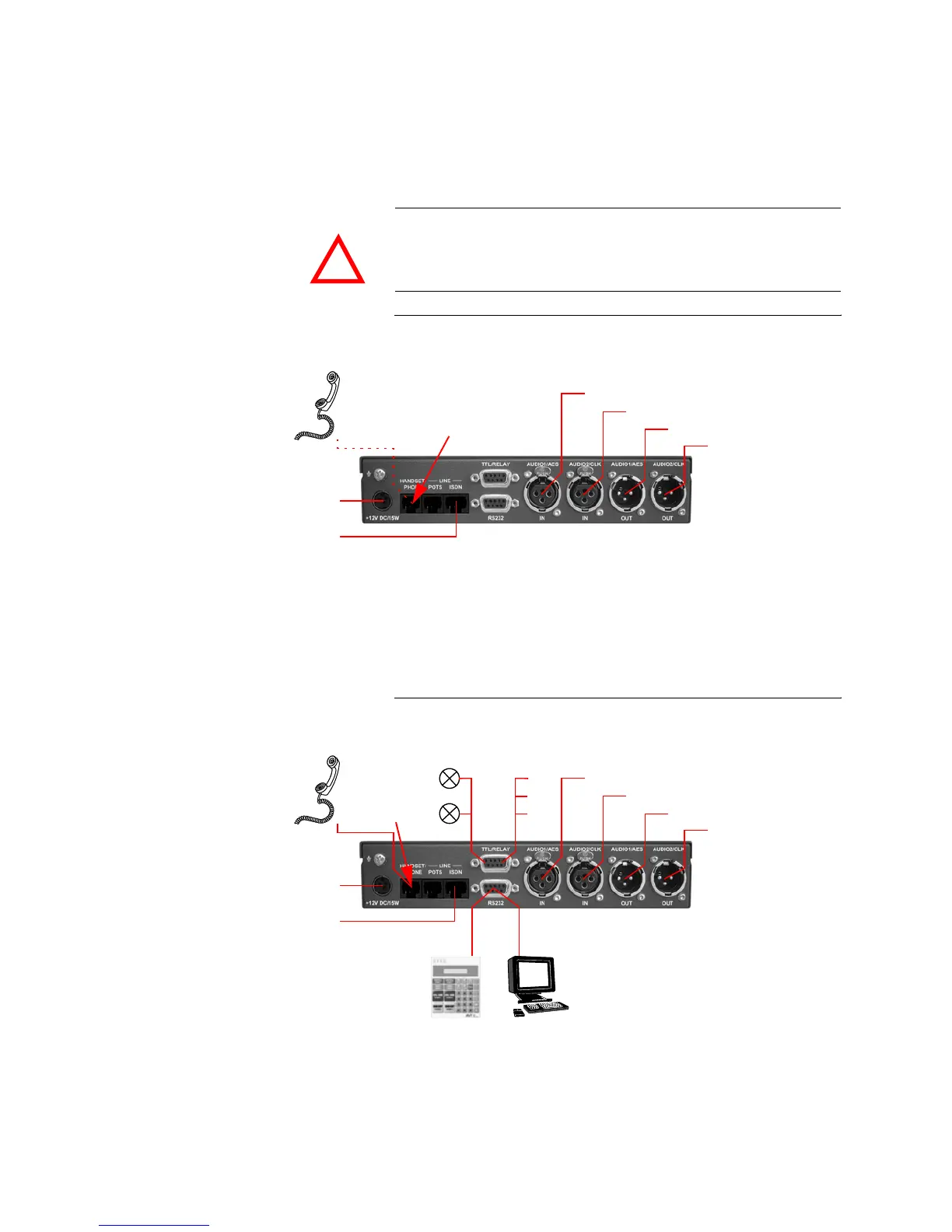
FIG. 6 MINIMUM WIRING IN ISDN OPERATING MODE
The maximum wiring with all options is shown in Fig. 7. Instead of the oper-
ation via the front keypad, the system can also be operated with the use of a
PC with MAGIC TH2 Software or a MAGIC TH2 Keypad connected to the
RS232 interface.
FIG. 7 MAXIMUM WIRING IN ISDN OPERATING MODE
ATTENTION Connection of a telephone handset
Please notice that the HANDSET/PHONE interface is implemented as 6-pole
Western socket. Standard handsets with 4-pole Western connectors must not
be used because otherwise the contacts in the socket will be destroyed.
!
Power supply
interface
ISDN
interface
Analogue Audio 1/(AES/EBU) Input
Analogue Audio 1/(AES/EBU) Output
Analogue Audio 2 /(clock) Input
Analogue Audio 2/(clock) Output
Handset/
Headset
Option:
Use 6-pole
Western connectors
only!
Power supply
PC with
Handset/
Option:
MAGIC TH2
Hybrid Keypad
MAGIC TH2
Software
Headset
interface
ISDN
interface
Option:
REL2
TTL1
TTL2
TTL3
Programmable
TTL Inputs/Outputs
REL1
Programmable
Relays
Analogue Audio 1/(AES/EBU) Input
Analogue Audio 1/(AES/EBU) Output
Analogue Audio 2 /(clock) Input
Analog Audio 2/(clock) Output
Use 6-pole
Western connectors
only!



 To Next Page