PAGE 77
Windows PC Software
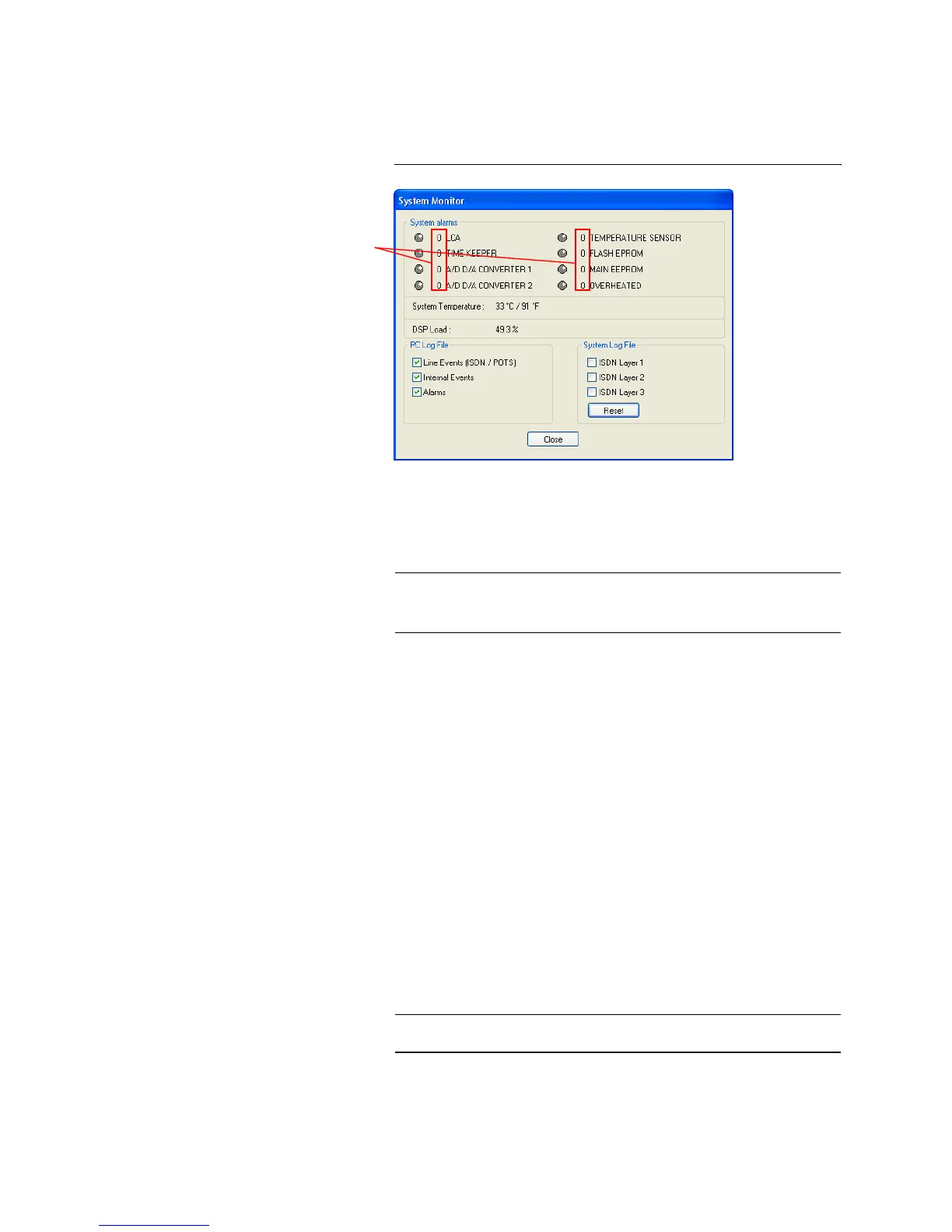
5.8.2 Submenu System Monitor
Via the menu System Monitor you receive information about the system sta-
tus.
FIG. 46 SUBMENU SYSTEM MONITOR
•Under System alarms all potential alarms are displayed. A red LED sig-
nalises a currently existing alarm. How often the error occurred since
switching on is displayed by the corresponding error counter.
The following errors are signalised:
– LCA: The communication with a programmable component is faulty.
– TIME KEEPER: The communication with the integrated clock module
is faulty.
– A/D D/A CONVERTER 1: The communication with the first ADDA
converter is faulty.
– A/D D/A CONVERTER 2: The communication with the second ADDA
converter is faulty.
– TEMPERATURE SENSOR: The communication with the temperature
sensor is faulty.
– FLASH EPROM: The communication with the permanent memory is
faulty. Configurations cannot be saved or read anymore.
– MAIN EEPROM: The communication with the permanent memory is
faulty. Configurations cannot be saved or read anymore.
– OVERHEATED: The system sets this alarm if the system temperature is
higher than 57°C. Disconnect the unit from electricity or cool down the
ambient temperature.
The actual system temperature is displayed in °C and °Fahrenheit under
System Temperature. The regular system temperature ranges from
30...40°C/86...104°F.
NOTICE
If an alarm occurs frequently or over a longer period disconnect the unit from
electricity. If the error occurs again after switching on, there is probably a
hardware defect.
TIP
A system alarm can also be configured as relay output (see Page 57).
Error Counter



 To Next Page