PAGE 41
Windows PC Software
5.6 Menu Configuration
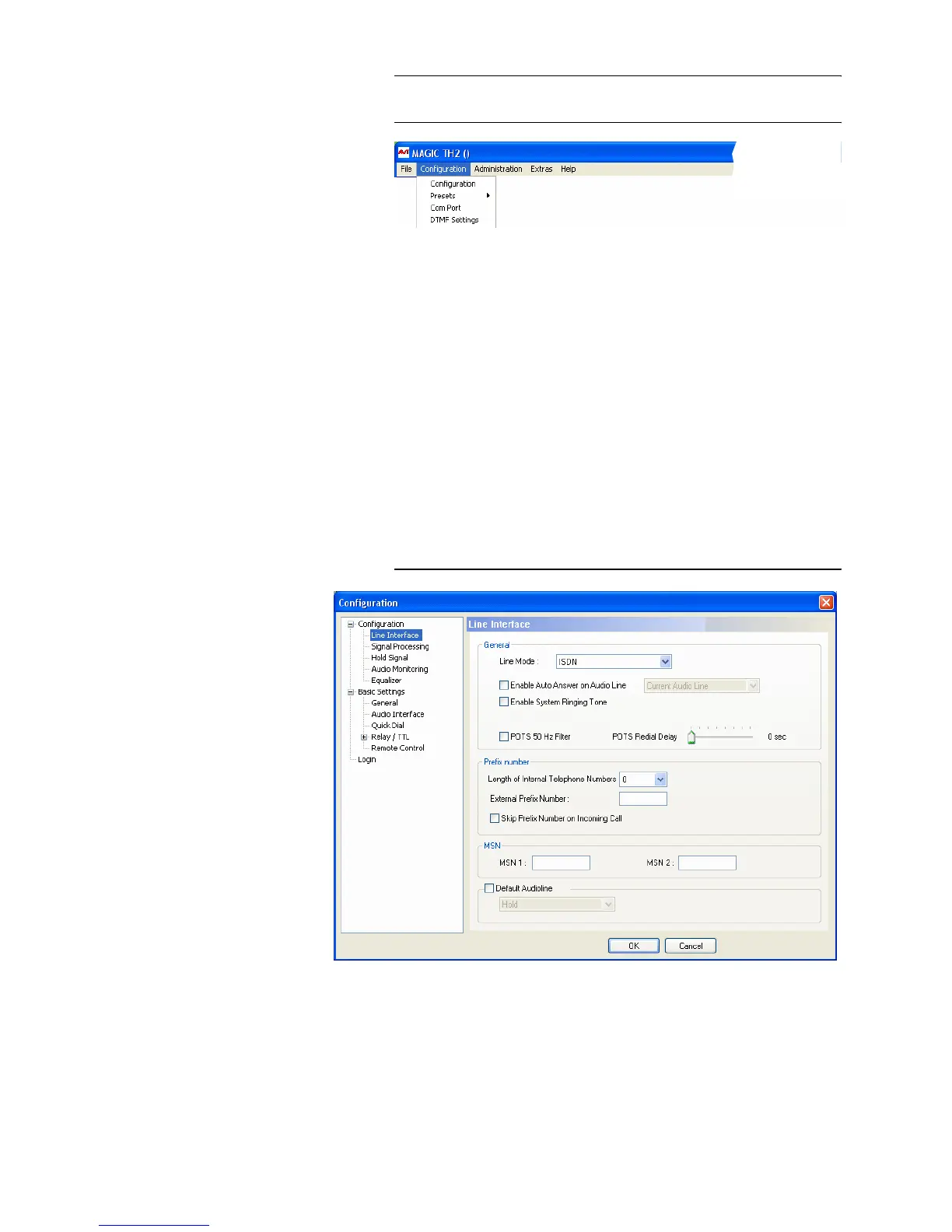
FIG. 13 MENU CONFIGURATION
5.6.1 Submenu Configuration
Via the submenu Configuration the system can be configured comfortably. It
is distinguished between Basic Settings, which do not have to be changed
during the operation and the actual Configuration for the current applica-
tion. In contrast to a configuration, the basic settings cannot be saved as Pre-
set (Configuration (see CHAPTER 5.6.2).
5.6.1.1 Configuration
All settings made under Configuration can be saved as Preset.
5.6.1.1.1 Line Interface
Via the option Line Interface the ISDN interface and the POTS telephone in-
terface can be configured.
FIG. 14 LINE INTERFACE
General
• Via the option Line Mode you can select the line interface. The following
configurations are possible:



 To Next Page