PAGE 68
Windows PC Software
With Export All all configurations displayed in the list are saved in a di-
rectory of your choice. A separate data file with the file extension ’.thp‘ is
generated for each configuration.
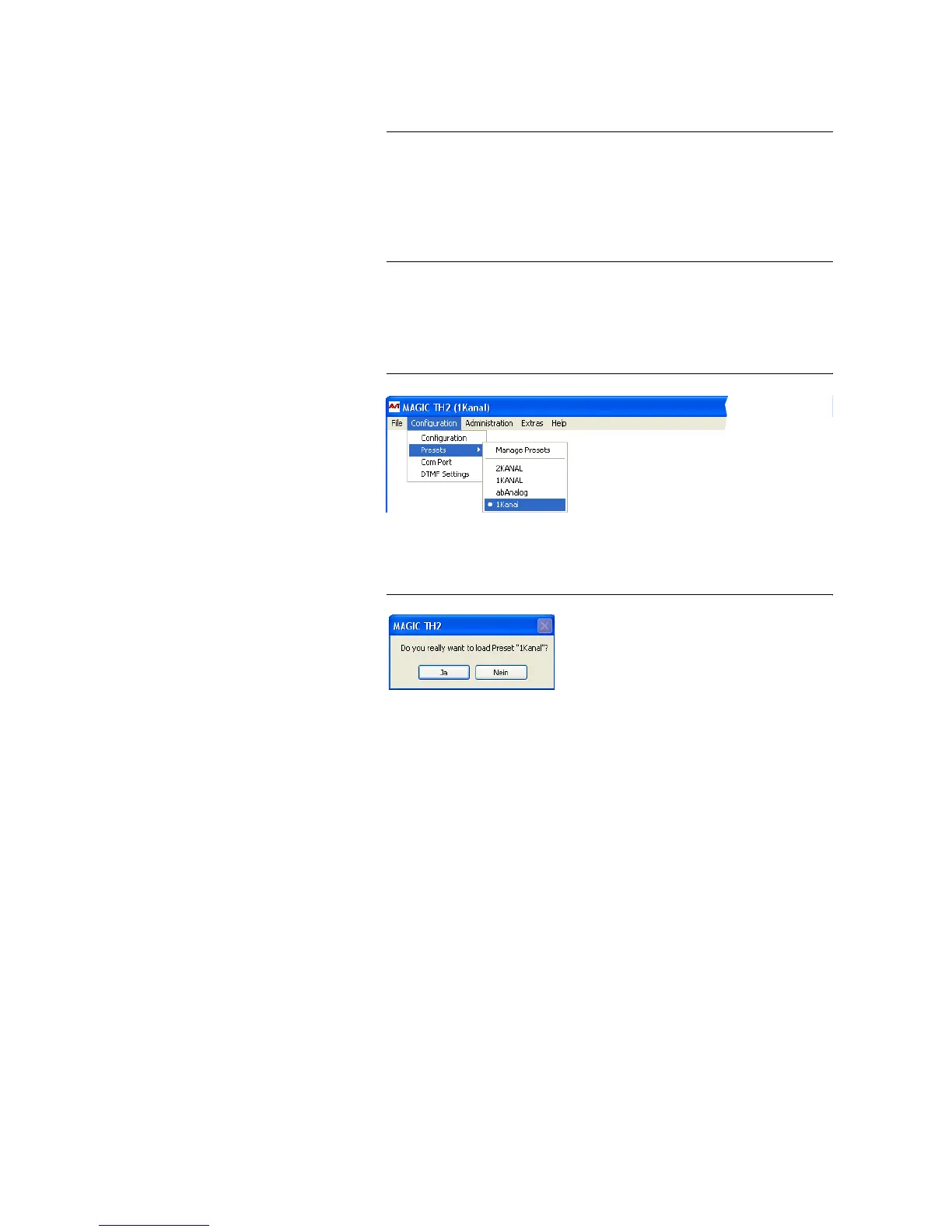
5.6.2.2 Activation of a Preset
All Presets are displayed under Configuration
→ Presets → „Preset
Name“ and can be activated with a click.
FIG. 36 LOAD PRESET
For safety reasons a confirmation is required.
FIG. 37 CONFIRMATION LOAD PRESET
TIP
If you need to configure several systems in the same way, set up one system
first and export all configurations to a disk. To configure all further systems
easily, import the configurations from the disk.
This is also possible for the phone book and the HOLD signal. Via the Im-
port/Export function under Administration (see CHAPTER 5.8.3) you can
comfortably save all information and load on other systems.



 To Next Page