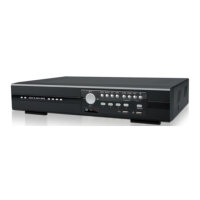
HARDWARE OVERVIEW
3
Note: Please purchase a disk array supporting Linux system to ensure your DVR to work properly.
Note: If the disk array is not connected or detected well, check the mode of your disk array, or do a reset
default on your disk array and try again.
8) EXTERNAL I/O (For selected models only)
This port is used to connect external devices (such as speed dome cameras or external alarm, etc).
9) LAN
Connect to Internet by LAN cable.
10) DC IN
Connect to the supplied adapter.
11) VIDEO OUT
Connect to a CRT monitor for main monitor output.
12) Power Switch (For selected models only)
Switch to “” to turn on the power, and “” to turn off the power.


 To Next Page